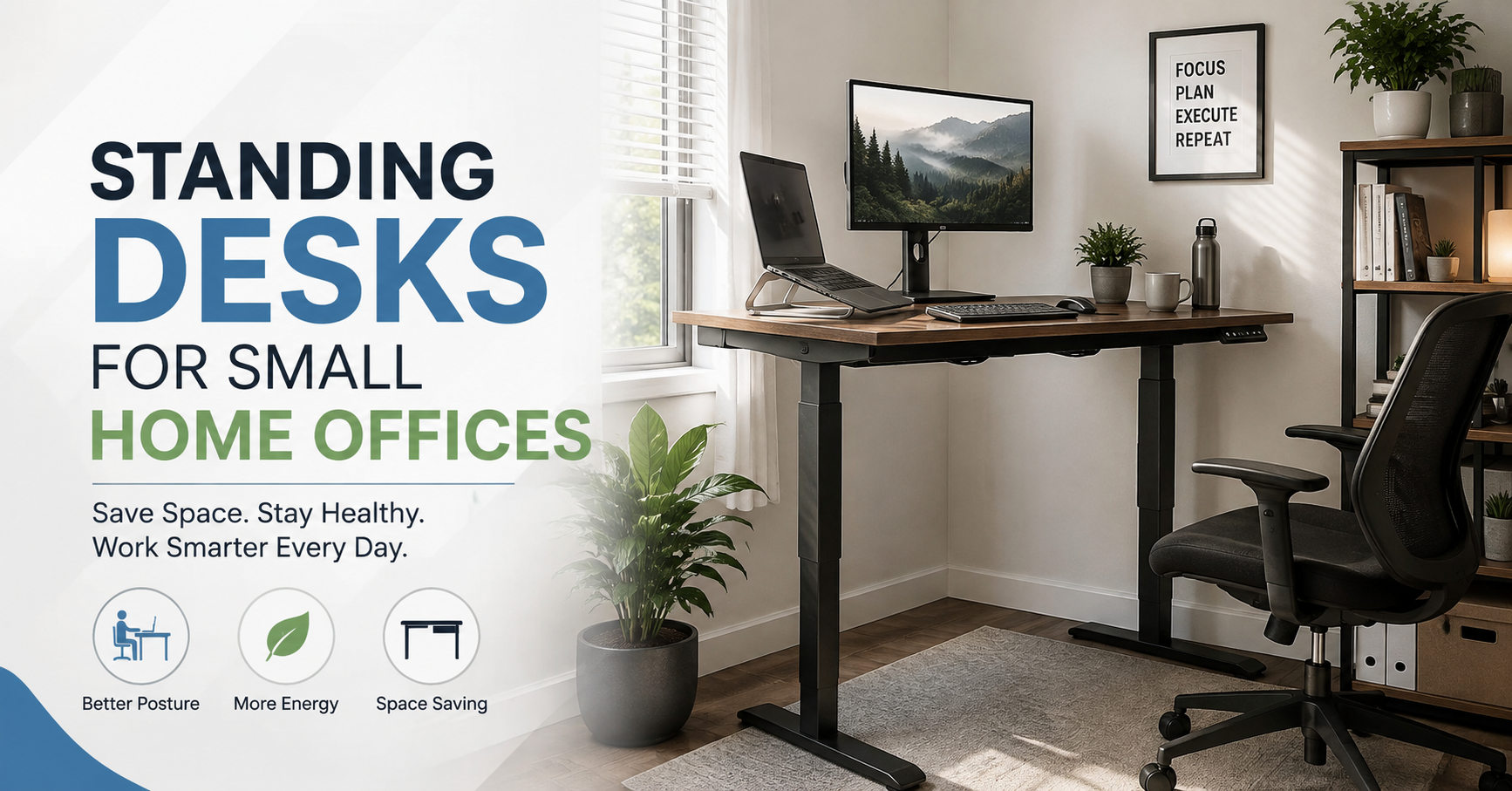
The first time I tried to squeeze a standing desk into a small home office, I thought the desk itself would be the difficult part. It wasn’t.
The real challenge was everything around it.
My chair needed somewhere to go when I stood up. The monitor had to be positioned correctly. Cables suddenly looked much more obvious. Even opening a drawer became annoying when the desk was sitting too close to the wall.
That’s the thing about small home offices: a desk can look compact in a product photo and still make a real room feel cramped.
After experimenting with different desk arrangements, I found that a standing desk can work surprisingly well in a small space—but only if you choose the right size and think about the entire workstation, not just the desktop.
Here are the lessons I’d keep in mind if I were setting one up again.
Why a Standing Desk Can Be Great for a Small Office
A standing desk isn’t automatically a space-saving desk. Some models are actually quite large.
The advantage is that you can often use a smaller workstation more efficiently because you don’t necessarily need a bulky traditional office setup.
For example, a compact electric standing desk with a 40- to 48-inch desktop can be enough for:
- A laptop
- One monitor
- Keyboard and mouse
- Small speakers
- A desk lamp
- A few everyday accessories
You can also use the space underneath more deliberately.
Instead of keeping a large computer tower, printer, storage boxes, and other equipment under the desk, you can move some items to a nearby shelf or cabinet. This keeps your legs and feet from feeling boxed in.
There’s another benefit I didn’t appreciate at first: standing gives you a different working position without requiring another piece of furniture.
You don’t have to buy a separate standing workstation and a normal desk. One adjustable desk can serve both purposes.
Measure the Room Before Buying Anything
This sounds obvious, but it’s probably the easiest mistake to make.
I would strongly recommend measuring the available wall space before looking at desks.
Don’t just measure the width.
Measure:
- The wall where the desk will sit.
- The depth available from the wall into the room.
- The distance to the door.
- The space around windows.
- The location of electrical outlets.
- The space needed for your chair.
- The area where the desk will move when raised.
That last one is easy to forget.
If you have a shelf, wall-mounted monitor, window sill, or artwork above the desk, check that nothing interferes with the desk as it rises.
A desk that fits perfectly at its lowest position can still hit something when you raise it.
What Desk Size Works in a Small Room?
There isn’t one perfect size for every room, but compact desks generally make more sense when floor space is limited.
Around 40 inches wide
This can work well for a laptop-focused setup or a single small monitor.
It’s particularly useful if your office is really more of a bedroom corner, hallway workspace, or converted storage area.
The downside is that you have less room for accessories.
Around 48 inches wide
This is often a more comfortable middle ground.
You can usually fit a laptop or monitor, keyboard, mouse, and a few accessories without making everything feel crowded.
For many small home offices, this is the size I’d look at first.
Around 55–60 inches wide
These desks give you much more working space, but they start becoming difficult to justify in genuinely small rooms.
They’re great if you use two monitors, keep a lot of equipment on your desk, or need space for paperwork.
But if you’re trying to make a tiny room feel more open, going smaller may be the better decision.
Don’t Ignore Desk Depth
Width gets most of the attention, but depth can make an even bigger difference.
A deep desk gives you plenty of room for monitors and accessories, but it also pushes the workstation farther into the room.
For a small office, something around 20–24 inches deep can sometimes be enough, especially if you’re using a laptop or monitor arm.
However, don’t make the desktop so shallow that your monitor ends up uncomfortably close to your face.
This is where monitor arms can be surprisingly useful.
Instead of placing the monitor on a large stand that occupies part of the desktop, an arm can free up valuable working space.
Electric vs. Manual Standing Desks
For a small office, I’d lean toward an electric adjustable desk if the budget allows it.
A manual crank desk can work perfectly well, but if you switch between sitting and standing several times during the day, repeatedly adjusting it can become annoying.
An electric desk usually lets you change height with a button.
Some models also have programmable memory buttons. These can be useful because you can save one height for sitting and another for standing.
For example:
- Button 1: sitting height
- Button 2: standing height
- Button 3: optional height for another user
You don’t need a complicated smart desk with dozens of features. Reliable height adjustment is more important than an impressive-looking control panel.
The Most Important Part: Getting the Height Right
A standing desk isn’t automatically ergonomic just because it goes up and down.
If it’s too high, you’ll spend the day raising your shoulders.
If it’s too low, you’ll bend forward.
When standing, try to position your keyboard and mouse so your elbows stay comfortably close to your body, with your forearms roughly level rather than reaching upward.
Your monitor should also be positioned so you’re not constantly bending your neck down.
This is especially important with laptops.
A laptop screen is attached to the keyboard, so getting the keyboard into a comfortable position often means the screen is too low.
That’s why a laptop stand combined with an external keyboard and mouse can make such a big difference.
My Favorite Small-Office Setup
If I were putting together a compact workstation today, I’d keep it fairly simple.
I’d use:
- A 40–48 inch electric standing desk
- One monitor on an adjustable arm
- A laptop stand if I use a laptop
- Compact keyboard and mouse
- Small desk lamp
- Under-desk cable tray
- A comfortable chair
- A small floor mat or anti-fatigue mat
That’s enough for most everyday work without turning the room into a technology showroom.
I would also avoid filling every available inch of the desktop.
Empty space is useful.
It gives you somewhere to put a notebook, coffee mug, paperwork, or anything else that appears during the day.
Use Your Wall Space
When floor space is limited, look upward.
A small wall shelf can hold things that don’t need to occupy your desktop.
For example:
- Books
- Headphones
- Small storage boxes
- Decorative items
- Chargers
- Notebooks
A pegboard can also work well for smaller accessories.
The goal isn’t to cover every wall with storage. It’s to move frequently used items away from the limited desk surface.
One lesson I learned the hard way is that small desks become cluttered much faster than large ones.
With a large desk, you can simply move something to the other side.
With a compact desk, there is no “other side.”
Cable Management Becomes More Important
Standing desks make cable management slightly more complicated because the desk moves.
Your monitor cable, power cable, laptop charger, and other connections need enough slack to accommodate the height adjustment.
Don’t tie everything tightly against the desk frame.
Instead, leave a controlled amount of slack and route cables so they move naturally as the desk rises.
A basic cable tray underneath the desk can hide power strips and excess cable.
Velcro cable ties are also useful because you can easily undo them when changing equipment.
One mistake worth avoiding is using permanent plastic zip ties everywhere. They look neat initially, but changing one cable later can turn into a frustrating little project.
Keep the Floor Clear
A small office can feel dramatically larger when the floor is open.
This is one reason I prefer keeping storage off the floor whenever possible.
Instead of placing several storage boxes underneath the desk, consider a narrow cabinet beside it.
That leaves the space under the desk open for your chair and legs.
It also makes cleaning easier.
If you use an electric standing desk, make sure cables and objects on the floor won’t get caught when the desk moves.
What About the Chair?
This is another small-office problem people often overlook.
When you’re sitting, you need a comfortable chair.
When you’re standing, that chair has to go somewhere.
If the room is extremely small, choose a chair that can slide completely under the desk when you’re standing.
A chair with large armrests can sometimes make this difficult.
You can also position the desk so the chair can roll into an open corner rather than blocking a doorway.
Think about this before buying the desk.
Add a Standing Mat If You’re Standing for Long Periods
Standing on a hard floor for extended periods can become uncomfortable.
A cushioned standing mat can make the workstation more pleasant, especially if you have tile, concrete, or another hard surface.
But don’t assume you need to stand continuously.
The point of an adjustable desk is flexibility.
You can sit for a while, stand for a while, and change positions throughout the day.
Movement matters more than trying to remain standing for hours.
Don’t Make This Common Mistake
One of the biggest mistakes people make is treating a standing desk as a replacement for movement.
You can stand completely still for hours and still feel stiff.
Changing position is the useful part.
Try working while standing for a short period, then sitting again.
You might also take short breaks to walk around, refill your water, stretch, or simply step away from the screen.
A standing desk should make movement easier—not become another reason to stay in one position.
How to Set Up a Standing Desk in a Small Office
If you’re starting from an empty room, I’d do it in this order.
Step 1: Measure the space
Mark the maximum width and depth available.
Don’t forget door clearance and nearby furniture.
Step 2: Decide what equipment you actually use
Write down everything that needs to sit on the desk.
If you rarely use a printer, don’t design the workstation around keeping one permanently on the desktop.
Step 3: Choose the smallest comfortable desk
Don’t automatically buy the biggest desk your budget allows.
Choose the smallest surface that comfortably accommodates your equipment.
Step 4: Position the monitor
Set up the monitor before decorating the desk.
Your screen position affects how the rest of the workstation needs to be arranged.
Step 5: Add the keyboard and mouse
Make sure your arms and shoulders feel relaxed at both sitting and standing heights.
Step 6: Test the full height range
Raise and lower the desk several times.
Watch the cables.
Check nearby shelves and windows.
Make sure nothing gets trapped or bumped.
Step 7: Organize cables last
Once everything works properly, secure the cables.
This prevents you from having to redo the cable management after moving your equipment.
Common Standing Desk Mistakes to Avoid
Buying a desk that’s too deep
A huge desktop can make a small room feel even smaller.
Forgetting about the chair
Always decide where the chair will go when you’re standing.
Putting the monitor too low
This is especially common when using a laptop.
A laptop stand or external monitor can help.
Ignoring cable movement
Your cables need to move with the desk.
Filling every inch of the desktop
A small desk needs breathing room.
Buying features you won’t use
Bluetooth controls, complicated apps, USB ports, and other extras can be convenient, but they shouldn’t distract you from the basics.
A stable frame and reliable height adjustment matter more.
A Small Office Example
Imagine a room with only one free wall that’s about four feet wide.
Instead of trying to fit a huge executive desk there, you could use a compact standing desk around 40–48 inches wide.
Place a monitor on an arm toward one side and keep the laptop on a stand.
Put the keyboard and mouse in the center.
Mount a small shelf above the desk for notebooks and accessories.
Keep the power strip in an under-desk cable tray.
Now you have a workstation that can switch between sitting and standing without taking over the entire room.
That’s really the sweet spot.
The desk doesn’t need to be impressive.
It needs to work.
Final Thoughts
A standing desk can be an excellent choice for a small home office, but the best setup isn’t necessarily the biggest or most expensive one.
Start with the room.
Measure it carefully, decide what equipment you genuinely need, and choose a compact desk that gives you enough working space without overwhelming the floor.
Then pay attention to the details—monitor height, chair storage, cable movement, wall storage, and how easily you can switch between sitting and standing.
The biggest lesson I’d take away is simple: don’t design your small office around the desk. Design the entire workspace around how you actually work.
When everything has a purpose and the floor isn’t packed with unnecessary furniture, even a surprisingly small corner can become a comfortable place to work.