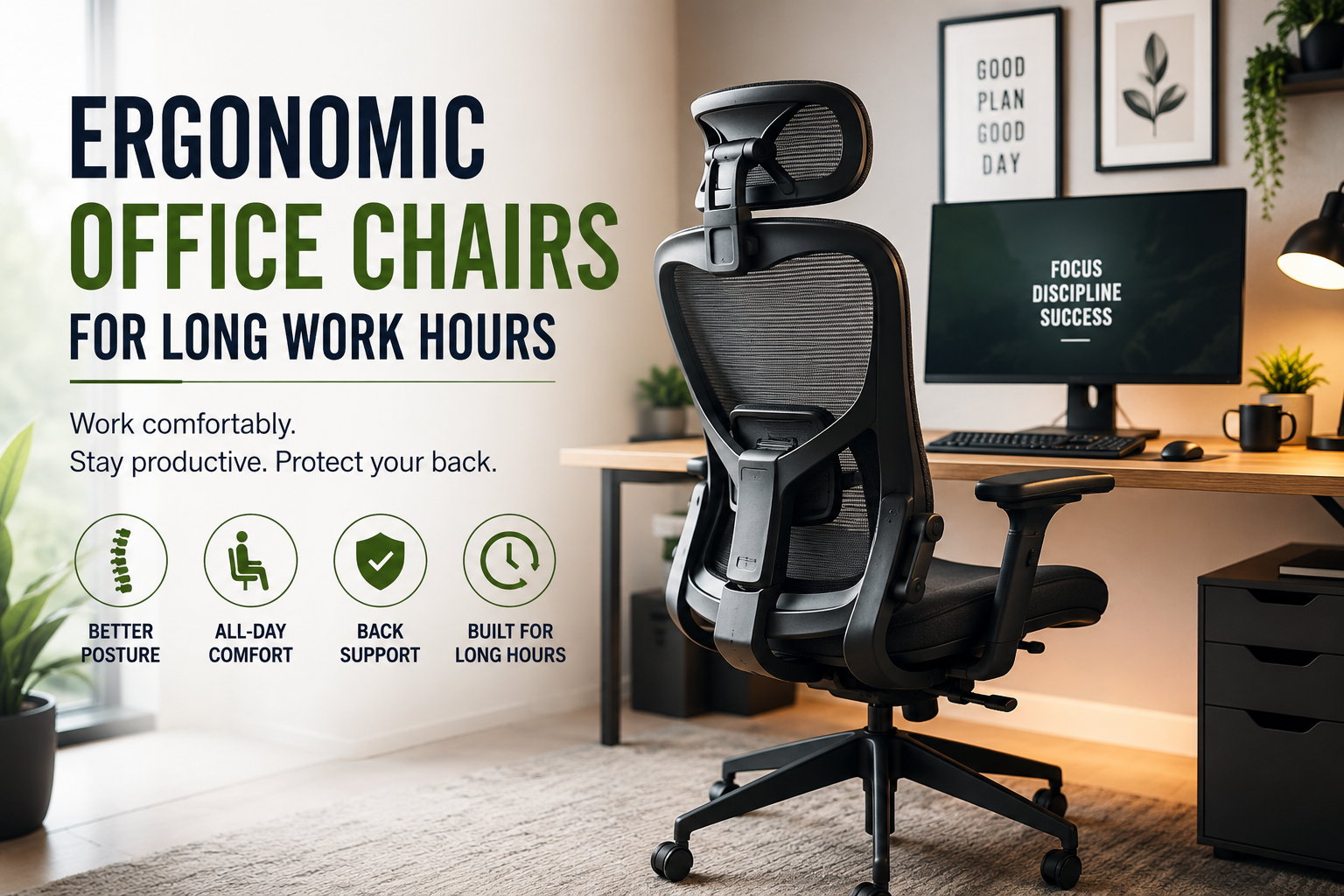
There was a point when I thought my office chair was “good enough” simply because it looked comfortable.
The seat was padded, the backrest looked nice, and I could sit in it for a few minutes without any complaints. But after several hours of writing, researching, editing, and jumping between browser tabs, I started noticing the difference. My shoulders felt tight, I kept shifting around in the seat, and by the end of the workday I was more interested in standing up than finishing the last task.
That was when I realized something simple: a chair can feel comfortable for 20 minutes and still be a terrible chair for an eight-hour workday.
If you spend most of your day at a desk, an ergonomic office chair is worth taking seriously. You don’t necessarily need the most expensive model available, either. What matters is whether the chair fits your body, supports your working position, and gives you enough adjustment options to stay comfortable throughout the day.
Why Your Office Chair Matters More Than You Think
When you’re working for long periods, small discomforts become surprisingly distracting.
You might start leaning forward to see your monitor better. Then you cross your legs because the seat feels uncomfortable. A little later, you lean toward one armrest while reading. Eventually, you’re practically sitting on the edge of the chair.
I’ve found that these small adjustments can become habits without you even noticing.
A good ergonomic office chair doesn’t force you to maintain one perfectly rigid posture all day. Instead, it should make it easier to sit in a balanced position while allowing you to move naturally.
That’s an important distinction.
Ergonomics isn’t about sitting like a statue. It’s about making your workspace work with your body rather than constantly fighting against it.
What Makes an Office Chair Ergonomic?
The word “ergonomic” appears on everything from budget desk chairs to premium models costing hundreds of dollars. So it’s easy to assume that any chair carrying the label will be suitable.
That’s not necessarily the case.
When shopping for an ergonomic chair, pay attention to the actual adjustment features.
1. Adjustable Seat Height
Your feet should be able to rest comfortably on the floor while your knees remain roughly level with or slightly below your hips.
If the chair is too high, your feet may dangle or you may compensate by sitting forward. If it’s too low, your knees can sit higher than you’d like.
A pneumatic height adjustment is one of the simplest features, but it’s also one of the most useful.
2. Proper Seat Depth
Seat depth is something I ignored for a long time.
If the seat is too deep, you may find yourself leaning forward because the backrest feels too far away. If it’s too short, your thighs may not receive enough support.
Ideally, you want enough room for your thighs without having the front edge of the seat pressing uncomfortably behind your knees.
This is one reason buying a chair based only on photographs can be risky.
3. Lumbar Support
Lower-back support can make a noticeable difference during long desk sessions.
Some chairs have fixed lumbar padding, while others allow you to adjust the height or firmness. Adjustable support is generally more flexible because people don’t all have the same body shape.
One mistake I made was assuming that a huge lumbar cushion automatically meant better support. It didn’t. Sometimes an aggressive cushion can actually feel uncomfortable if it doesn’t match your back.
More support isn’t always better.
The right support is the support that fits you.
4. Adjustable Armrests
Armrests are easy to overlook until they are positioned incorrectly.
Ideally, your arms should be supported without forcing your shoulders upward. If the armrests are too high, your shoulders can remain elevated. If they’re too low, you may end up leaning toward your desk.
Some chairs offer 2D, 3D, or even 4D armrests, allowing adjustment in several directions.
You don’t necessarily need the most complicated version. The important thing is that you can position your arms comfortably while using your keyboard and mouse.
5. Backrest Recline
One of the biggest lessons I learned was that sitting completely upright isn’t always the most comfortable position.
A chair that reclines allows you to change your posture during the day. That’s particularly useful when reading documents, attending video meetings, or taking a short break from typing.
Look for a chair with a smooth recline mechanism rather than one that simply locks into a few rigid positions.
Mesh vs. Cushioned Office Chairs
This is one of those choices where there isn’t a universal winner.
Mesh Chairs
Mesh backs allow more airflow, which can be useful if your workspace gets warm.
They’re also usually lighter-looking and can give a modern desk setup a cleaner appearance.
The downside is that cheap mesh can feel rough or lose its shape over time.
Cushioned Chairs
Cushioned chairs can feel softer and more traditional.
They’re often appealing if you prefer a plush seat, but thick padding isn’t automatically better for long working sessions. Some cushions compress over time, and excessive softness can make it harder to maintain a comfortable position.
Personally, I’d choose based on support and adjustability first, material second.
A breathable mesh chair with good adjustments can be more comfortable for a long workday than a heavily padded chair that doesn’t fit properly.
How to Set Up Your Ergonomic Office Chair
Buying a good chair is only half the job.
I’ve seen people spend a lot on a chair and then use it at the wrong height with the monitor sitting too low. The result is a workspace that still feels uncomfortable.
Try this setup instead.
Step 1: Adjust the Seat Height
Sit back and place both feet on the floor.
Adjust the chair until your feet feel stable and your knees are comfortably positioned.
Don’t raise the chair simply because your desk feels too low. If your desk cannot be adjusted, you may need to find a balance between chair height and desk position.
Step 2: Position the Backrest
Sit fully back against the chair rather than perching on the front edge.
Adjust the lumbar support so it supports your lower back without aggressively pushing you forward.
Step 3: Set the Armrests
Relax your shoulders.
Adjust the armrests until your elbows can rest naturally while your hands reach the keyboard and mouse.
If your shoulders feel lifted, the armrests are probably too high.
Step 4: Adjust Your Monitor
This is where many “chair problems” actually turn out to be desk setup problems.
If your monitor is too low, you may constantly tilt your head downward.
A monitor stand or adjustable monitor arm can help bring the screen into a more comfortable position.
Step 5: Keep Your Keyboard and Mouse Close
Don’t stretch your arms forward all day.
Keep your keyboard and mouse close enough that your elbows remain relatively near your body.
This simple change can make a surprisingly noticeable difference.
Don’t Forget to Move
An ergonomic chair isn’t an excuse to sit for eight hours without getting up.
Even a well-designed chair can’t replace movement.
During long work sessions, I prefer using simple reminders to break up sitting time. Apps such as Microsoft To Do, Google Calendar, or even a basic phone timer can remind you to stand, refill your water bottle, walk around, or simply change position.
You don’t need an elaborate routine.
A short break every so often is often more realistic than creating a complicated productivity system that you stop following after three days.
My Biggest Office Chair Mistakes
If you’re buying your first ergonomic chair, here are a few mistakes I’d avoid.
Buying Based on Looks
A stylish chair can look fantastic in a home office photo.
That doesn’t tell you whether the seat depth, lumbar support, or armrests will work for you.
Treat appearance as a bonus, not the deciding factor.
Assuming Expensive Means Better
Price can reflect better materials, construction, warranty coverage, and adjustment options.
But a more expensive chair isn’t automatically the right chair for your body.
I’d rather have a moderately priced chair that fits properly than an expensive chair with features I’ll never use.
Ignoring Desk Height
Your chair and desk work as a system.
If your desk is unusually high or low, even a good chair may feel wrong.
Before purchasing, measure your desk height and check whether the chair’s adjustment range will work with it.
Sitting in One Position All Day
I used to think the goal was to find one perfect position and stay there.
That was a mistake.
Comfort improves when you can change position. Recline occasionally, shift your legs, stand up, walk around, and return to your desk.
Buying Without Checking the Return Policy
This is especially important when ordering online.
A chair can have excellent reviews and still not suit your body.
Before purchasing, check the return period, return shipping conditions, warranty, assembly requirements, and whether replacement parts are available.
Those details matter much more after the chair arrives at your door.
What to Look for at Different Budgets
You don’t have to start with a premium office chair.
Budget Range
Look for:
- Adjustable seat height
- Reasonable lumbar support
- Comfortable seat padding
- Stable five-point base
- Smooth casters
- Basic recline function
At this level, I’d prioritize basic build quality over fancy features.
Mid-Range
This is where you can often find a better combination of comfort and adjustability.
Look for:
- Adjustable lumbar support
- Adjustable armrests
- Better seat-depth adjustment
- Breathable materials
- Reclining backrest
- More durable casters and mechanisms
Premium
Higher-end ergonomic chairs may offer extensive adjustments, better materials, stronger warranties, and more refined mechanisms.
These can make sense if you’re sitting at a desk for many hours every day.
But before spending a large amount, make sure the chair actually fits you.
A Simple Test Before You Buy
If you’re testing an ergonomic office chair in a showroom, don’t just sit down for 30 seconds.
Spend several minutes adjusting it.
Try the following:
- Set the seat height.
- Sit fully against the backrest.
- Adjust the lumbar support.
- Position the armrests.
- Recline the backrest.
- Type as though you’re working.
- Move the mouse around.
- Check whether your feet remain stable.
- Notice pressure points around your thighs and hips.
- Ask yourself whether you could realistically work in it for several hours.
If you’re buying online, look for retailers with a reasonable trial or return policy.
Ergonomic Chair Accessories Worth Considering
The chair doesn’t have to do everything.
A few inexpensive accessories can improve your overall setup.
Footrest
If your feet don’t comfortably reach the floor after adjusting your chair for your desk, a footrest can help.
Monitor Stand
A monitor stand can raise your display and free up some desk space.
Monitor Arm
If you frequently change between sitting and standing, or use multiple screens, a monitor arm can make positioning easier.
External Keyboard and Mouse
Laptop users can especially benefit from these.
Using a laptop on a desk often creates a compromise: if the screen is positioned well, the keyboard may be too high; if the keyboard is comfortable, the screen may be too low.
An external keyboard and mouse let you position the screen and input devices separately.
What About Gaming Chairs?
Gaming chairs can look impressive, and some are comfortable.
But don’t assume the racing-style design automatically makes one ergonomic.
When comparing a gaming chair with an office chair, look at the same things:
- Seat depth
- Lumbar support
- Armrest adjustment
- Recline mechanism
- Seat height
- Backrest shape
- Build quality
For long office work, practical adjustability matters more than the gaming aesthetic.
A Practical Long-Workday Setup
If I were putting together a comfortable workspace for long work hours, I’d keep it fairly simple:
Chair: Adjustable ergonomic office chair
Desk: Stable desk at a comfortable height
Monitor: Positioned so I don’t constantly look downward
Keyboard: Close enough to keep my elbows relaxed
Mouse: Positioned beside the keyboard rather than far away
Lighting: Enough ambient light to avoid working in a dark room
Breaks: Short movement breaks throughout the day
Software: A simple reminder through Google Calendar, Microsoft To Do, or a phone timer
You don’t need a futuristic office filled with expensive equipment.
The goal is to remove the little annoyances that accumulate during a long workday.
Final Thoughts
The best ergonomic office chair isn’t necessarily the one with the longest feature list or highest price tag.
It’s the one that fits your body, works with your desk, and lets you change positions comfortably while you work.
If you’re replacing an old chair, don’t rush the decision. Measure your desk, consider your working habits, check the chair’s adjustment range, and pay close attention to the return policy.
And remember something I wish I’d understood earlier: your chair is only one part of the setup.
A properly adjusted monitor, sensible desk height, comfortable keyboard position, good lighting, and regular movement all matter too.
If you spend most of your day working at a desk, those small improvements can make the workspace feel considerably better—and that’s a much better reason to upgrade than simply buying a chair because it looks good in a product photo.