I used to think my desk was the problem.
After a few hours of working on a laptop, I would start shifting around in my chair, stretching my back, and looking for any excuse to get away from the screen. The desk itself wasn’t terrible, but sitting in the same position for most of the day made work feel much more tiring than it needed to be.
I wasn’t ready to replace the entire desk, either. A good electric standing desk can cost a fair amount, and my existing desk was perfectly usable.
That’s when I started looking at standing desk converters.
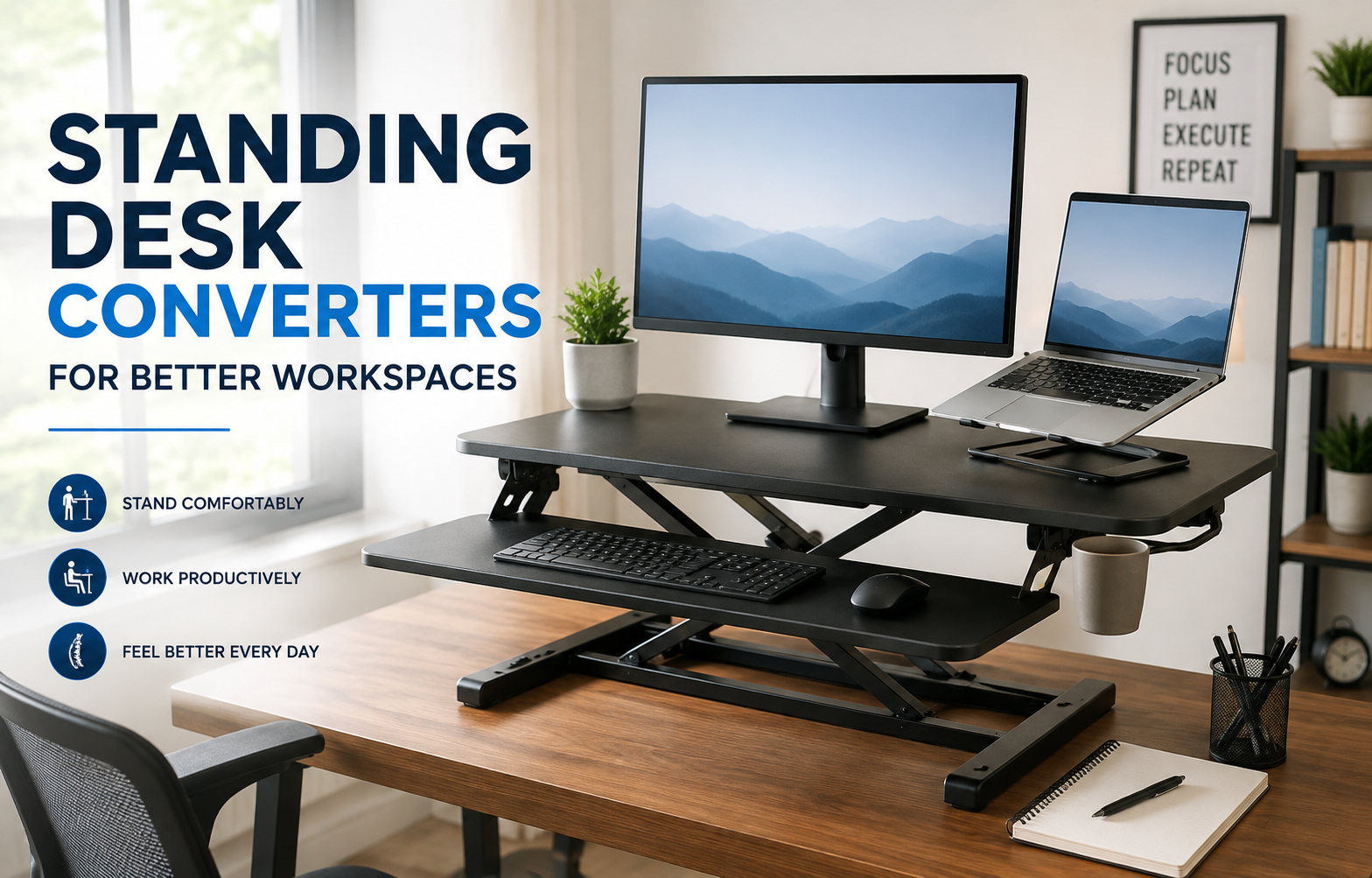
A converter sits on top of your existing desk and gives you a raised work surface that can be adjusted between sitting and standing positions. It sounds simple, and honestly, that’s part of the appeal. You can change your workspace without moving furniture or rebuilding your entire office.
After using one, I learned that choosing the right converter isn’t just about finding the tallest or cheapest option. Size, stability, adjustment method, monitor placement, and even the amount of space behind your desk can make a surprisingly big difference.
What Makes a Standing Desk Converter Useful?
The biggest advantage is flexibility.
Instead of being committed to sitting for the entire workday, you can alternate between sitting and standing. I found this especially useful during tasks that don’t require intense concentration, such as checking email, reviewing documents, watching tutorials, or taking calls.
It’s also a practical option if you already have a desk you like.
A traditional standing desk may require you to replace your current desk completely. A converter works differently: you keep the desk and place the converter on top.
That makes it particularly useful for:
- Home offices
- Small bedrooms or apartments
- Temporary workspaces
- Students
- Remote workers
- People who share a workspace
- Anyone who doesn’t want to replace their existing desk
One important point, though: a converter isn’t automatically better simply because it lets you stand. The goal is to create a workspace where you can comfortably change positions throughout the day.
My First Mistake: Buying Based on Size Alone
One of the first things I learned was that a large work surface isn’t always better.
I initially liked the idea of having enough room for a monitor, keyboard, mouse, notebook, phone, and coffee cup. But a large converter can become heavy, awkward to move, and difficult to position on a smaller desk.
Before buying one, measure your existing desk.
Check:
- Desk width – Will the converter fit comfortably?
- Desk depth – Does it leave enough room for other equipment?
- Available height – Can the converter raise your monitor to a comfortable level?
- Weight capacity – Can it safely support your monitor and accessories?
- Keyboard space – Is there enough room to type naturally?
- Clearance – Can the converter move without hitting shelves, walls, or other objects?
This sounds obvious, but it’s easy to get distracted by product photos and forget about the physical dimensions of your own workspace.
Different Types of Standing Desk Converters
Not every converter works the same way.
1. Electric Converters
Electric models use a motor to raise and lower the work surface.
They’re convenient because you can usually adjust the height with the push of a button. Some models also include programmable height presets.
This is useful if you switch positions frequently.
For example, you might save one setting for sitting and another for standing. Instead of manually adjusting the converter every time, you can move between the two positions quickly.
The downside is that electric models tend to cost more and require access to a power outlet.
2. Manual Converters
Manual converters use a spring, lever, or other mechanical adjustment system.
They don’t need electricity, which makes them simpler and often more affordable.
I wouldn’t automatically consider manual adjustment a disadvantage. If you only change positions a few times during the day, manually adjusting the converter may be perfectly reasonable.
The important thing is to test how easy the adjustment mechanism is to use.
If it takes significant effort to change the height, you may eventually stop adjusting it altogether.
3. Fixed or Simple Riser-Style Converters
These are the simplest option.
Instead of a sophisticated height-adjustable mechanism, they raise your monitor or laptop to a higher position.
They’re generally useful when you mainly want to improve screen height rather than frequently switch between sitting and standing.
However, they don’t provide the same flexibility as a full standing desk converter.
How to Set Up a Standing Desk Converter Correctly
Buying the converter is only half the job.
The setup matters just as much.
Step 1: Start With Your Normal Sitting Position
Don’t immediately raise everything as high as possible.
Sit at your desk the way you normally would and position your chair comfortably.
Your shoulders should feel relaxed rather than raised toward your ears.
Step 2: Adjust Your Keyboard
Your keyboard should be positioned so you can type without constantly reaching upward.
This is one reason I prefer converters with a dedicated keyboard tray or enough surface area for a comfortable keyboard position.
If the keyboard ends up too high, standing may simply replace one uncomfortable position with another.
Step 3: Position Your Monitor
Your monitor should be positioned at a comfortable viewing height rather than forcing you to constantly look down.
If you’re using a laptop, this can be trickier.
A laptop screen and keyboard are attached to each other, so raising the screen often raises the keyboard too. For longer work sessions, a separate keyboard and mouse can make the setup much easier to adjust.
Step 4: Check Your Standing Height
Stand naturally.
Don’t lean forward just to reach your keyboard or mouse.
If you have to bend your neck downward or hunch your shoulders, adjust the converter or monitor position.
Step 5: Test the Entire Workspace
Before settling on the setup, spend a few minutes doing normal tasks.
Open your browser, type a document, use your mouse, check your phone, and move between sitting and standing.
Small problems become much easier to notice when you’re actually using the workspace.
Don’t Stand All Day
This was another lesson I learned.
The point isn’t to replace eight hours of sitting with eight hours of standing.
Standing continuously can become tiring too. Your feet, legs, and lower body may start feeling uncomfortable, especially if you’re not used to it.
Instead, think of a converter as a way to introduce movement and position changes into your workday.
For example, you could try:
- Sitting for focused writing
- Standing during emails
- Sitting during longer reading sessions
- Standing during short meetings or calls
- Taking regular walking or stretching breaks
There’s no magic schedule that works for everyone.
Pay attention to how your body feels and adjust your routine accordingly.
A Standing Mat Can Make a Difference
If you’re going to stand regularly, don’t ignore what’s underneath your feet.
Standing on a hard floor for extended periods can become uncomfortable. A cushioned anti-fatigue mat can make the experience more pleasant.
This was something I underestimated at first.
I spent time adjusting the desk height and monitor position but ignored the floor. After adding a comfortable mat, standing for shorter work sessions felt noticeably easier.
You don’t necessarily need an expensive mat. The important thing is choosing something stable that doesn’t slide around easily.
What About Dual Monitors?
This is where converter selection becomes more important.
A single lightweight monitor is relatively straightforward.
Two monitors can create a very different situation.
You need to consider the combined weight, the width of the setup, and whether the converter remains stable when raised.
If you use a dual-monitor arm, check the converter’s weight capacity and make sure the mounting arrangement is compatible.
Don’t assume that because a converter can hold one monitor, it can automatically handle two monitors mounted on an arm.
For heavier setups, stability should be one of your first considerations.
Standing Desk Converter for a Laptop Setup
Laptop users have a slightly different challenge.
A laptop by itself is convenient, but raising it to standing height can make the keyboard uncomfortable to use.
A better setup can be:
Laptop + separate keyboard + separate mouse
This allows you to position the laptop screen at a comfortable height while keeping your hands at a more natural working position.
A USB-C dock can also be useful if you connect the laptop to an external monitor, keyboard, mouse, Ethernet connection, or other accessories.
Apps such as Microsoft Teams, Zoom, Slack, and Google Workspace can then remain part of your normal workflow without requiring you to completely reorganize your workstation.
Common Standing Desk Converter Mistakes
Buying the Cheapest Option Without Checking Stability
Price matters, but a wobbly work surface can become frustrating quickly.
If your monitor shakes every time you type, the converter isn’t doing much to improve your workspace.
Ignoring Your Existing Desk
A converter doesn’t exist in isolation.
Your desk still needs to provide enough room and support.
A lightweight desk with limited depth may not be a good match for a large converter.
Putting Too Much Equipment on It
It’s tempting to put everything on the raised platform.
Monitor, laptop, speakers, tablet, notebook, phone, microphone, coffee, and whatever else happens to be nearby.
But extra equipment adds weight and clutter.
Keep only the items you actually need.
Raising the Converter Too High
Higher isn’t automatically better.
Your standing position should feel natural. If your shoulders are constantly lifted or your wrists are bent awkwardly, lower the work surface and reassess the setup.
Forgetting About Cables
This is an easy one to miss.
When the converter moves upward, cables need enough slack to move with it.
A cable that looks fine while sitting can become tight when the converter reaches its standing height.
Before using the full range of motion, check your power cable, monitor cable, USB connections, and other wires.
How to Choose the Right Standing Desk Converter
If you’re shopping for one, I’d focus on these factors rather than simply searching for the highest-rated model.
Work Surface
Think about everything you need during a normal work session.
If you use only a laptop, you may not need a huge platform.
If you use a monitor, keyboard, mouse, notebook, and other accessories, you’ll want more space.
Height Range
Check the minimum and maximum height.
A converter that works perfectly for one person may not reach a comfortable standing height for another.
Your own height and desk height matter.
Weight Capacity
Add up the weight of your equipment.
Don’t forget monitor arms, speakers, laptops, and other accessories.
Leave some margin rather than operating right at the maximum capacity.
Adjustment Mechanism
If you’ll change positions frequently, easy adjustment becomes very important.
A smooth electric mechanism may be worth paying more for.
If you only adjust the height occasionally, a manual converter might make more sense.
Stability
This is one of the features I’d prioritize.
A converter can have a beautiful design and plenty of features, but if it moves around while you’re typing, you’ll probably end up frustrated.
Cable Management
Look for enough space to route cables cleanly.
A small amount of cable management can make the workspace look dramatically better.
A Simple Way to Start Using One
If you’re new to standing while working, don’t try to completely change your routine on day one.
Start with short periods.
For example:
Week 1: Try standing for 10–15 minutes at a time.
Week 2: Experiment with longer sessions when they feel comfortable.
Week 3: Use standing during specific tasks such as calls, emails, or browsing.
Then adjust based on what actually works for you.
The goal is to make changing positions easy enough that you naturally use the feature.
Is a Standing Desk Converter Worth It?
For me, the biggest benefit wasn’t standing itself.
It was having another option.
Sometimes I want to sit and focus on writing. Other times, after spending a while in the same position, standing feels like a welcome change.
That’s where standing desk converters make sense.
You don’t have to replace your entire desk, redesign your office, or turn your workspace into a complicated ergonomic project. A properly sized converter can be a relatively simple way to make an existing desk more flexible.
Just don’t buy one based on appearance alone.
Measure your desk, consider your equipment, check the height range and weight capacity, and think honestly about how you’ll use it.
A converter should make it easier to work comfortably—not become another piece of office equipment you have to work around.