A couple of years ago, I thought my sore neck was just part of working on a laptop all day. I’d finish writing or answering emails, stand up from my desk, and immediately feel stiffness in my shoulders. I tried stretching, buying a better chair, and even changing my desk height, but nothing made a lasting difference.
Then I raised my laptop.
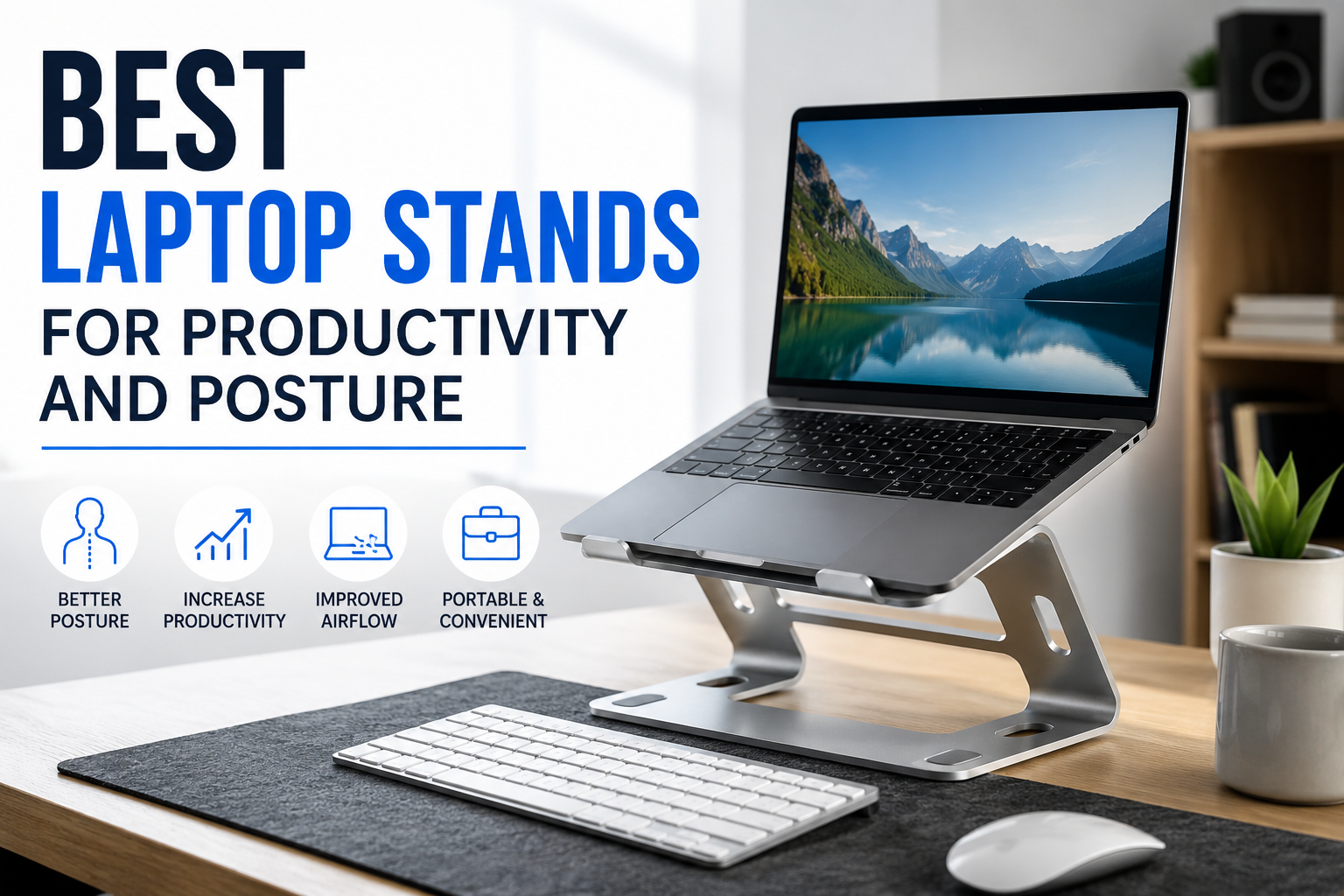
Not by stacking random books underneath it—which I’d been doing for months—but by using a proper laptop stand. It sounds like a small change, but it completely changed how I worked. My screen sat at eye level, I stopped hunching over, and my workspace looked much cleaner.
If you spend several hours a day working, studying, editing videos, coding, or attending online meetings, a laptop stand is one of those accessories that offers far more value than its price suggests.
Here’s what I’ve learned after trying different styles and helping friends choose one for their own desks.
Why a Laptop Stand Makes Such a Big Difference
Laptops are designed to be portable, not necessarily ergonomic.
When you place one flat on a desk, you’re almost forced to look downward. That position doesn’t seem like a big deal for the first thirty minutes, but after several hours your neck, shoulders, and upper back start paying the price.
Once the screen is closer to eye level, your posture naturally improves. Instead of bending your neck, you sit more upright without constantly reminding yourself.
I also noticed another unexpected benefit: I became less distracted. Somehow, having the screen elevated made my workspace feel more intentional, almost like sitting at a proper workstation instead of casually browsing from the kitchen table.
What to Look for Before Buying
Not every laptop stand is built the same. Some are designed for travel, while others are meant to stay on your desk permanently.
Here are the features that matter most.
1. Adjustable Height
This is probably the most important feature.
Everyone’s desk and chair are different, so a fixed-height stand may not place the screen exactly where you need it.
An adjustable stand lets you fine-tune the height until the top of the display is close to eye level.
2. Stability
Nothing is more annoying than a stand that shakes every time you type.
If you mainly use the laptop keyboard, choose a sturdy design with minimal wobble.
If you use an external keyboard and mouse, slight movement matters much less.
3. Cooling and Airflow
Many laptops run hot during long work sessions.
A good stand leaves space underneath the laptop so air can circulate freely.
I’ve noticed my laptop fans kick in less often after switching from placing it directly on the desk.
4. Build Quality
You’ll generally find stands made from:
- Aluminum
- Steel
- Plastic
- Wood
Aluminum is my favorite because it’s lightweight, durable, and helps dissipate heat.
Plastic models are usually cheaper and work well if portability matters more than premium construction.
5. Portability
If you regularly work from coffee shops, libraries, or coworking spaces, foldable stands are incredibly convenient.
Some collapse into something smaller than a notebook and barely add any weight to your backpack.
Best Laptop Stands for Productivity and Posture
These are among the most practical options depending on your workspace and budget.
1. Roost Laptop Stand
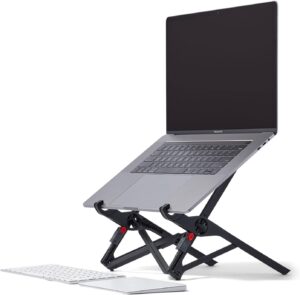
Best for travelers.
Pros:
- Extremely lightweight
- Folds into a compact size
- Adjustable height
- Easy to carry
Cons:
- More expensive than basic stands
- Requires a few seconds to set up
If you’re constantly moving between locations, this is one of the easiest stands to carry.
2. Rain Design mStand
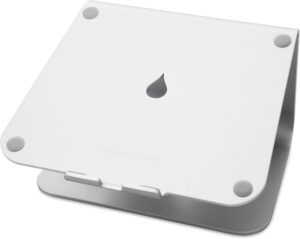
Best for permanent desk setups.
Pros:
- Premium aluminum build
- Excellent stability
- Great airflow
- Stylish appearance
Cons:
- Not adjustable
- Less portable
This is perfect if your laptop rarely leaves your desk.
3. Nexstand K2
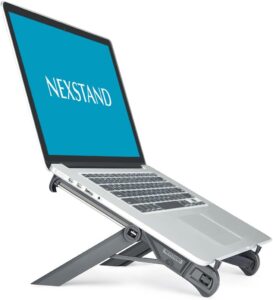
Best budget portable option.
Pros:
- Affordable
- Adjustable
- Lightweight
- Supports larger laptops
Cons:
- Plastic construction
- Slight wobble during heavy typing
Despite being inexpensive, it performs surprisingly well for remote workers.
4. MOFT Invisible Laptop Stand
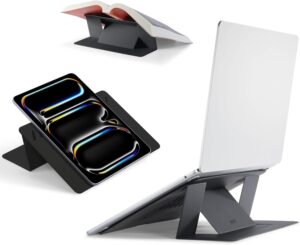
Best minimalist option.
Pros:
- Ultra-thin
- Attaches directly to the laptop
- Easy to carry
- No separate accessory to pack
Cons:
- Limited height adjustment
- Not ideal for long desk sessions
This works well if you frequently work on the go and only need a slight elevation.
5. Soundance Aluminum Laptop Stand
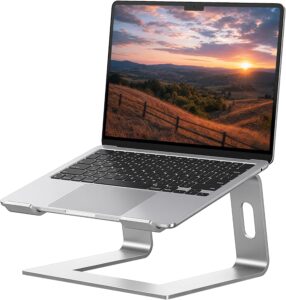
Best overall value.
Pros:
- Strong aluminum construction
- Excellent stability
- Affordable price
- Easy assembly
Cons:
- Fixed height
- Requires an external keyboard for the best ergonomic setup
For many home offices, this offers the best balance between quality and price.
My Favorite Desk Setup
After experimenting with different arrangements, here’s the setup that feels most comfortable during long workdays.
- Laptop stand
- External mechanical keyboard
- Wireless mouse
- Large monitor (optional)
- Desk mat
- Adjustable office chair
The laptop sits slightly to the side as a second screen while the main monitor stays directly in front of me.
If you don’t have a monitor, simply place the laptop stand directly in front of you and connect an external keyboard and mouse.
That alone creates a much healthier working position.
Step-by-Step: Setting Up Your Laptop Stand Correctly
Buying the stand is only half the job.
Here’s how to get the most benefit.
Step 1
Place the stand in the center of your desk.
Avoid putting it off to one side unless you’re using another monitor.
Step 2
Raise the laptop until the top of the screen is roughly at eye level.
You shouldn’t have to tilt your head downward while reading.
Step 3
Connect an external keyboard.
This allows your hands to remain comfortably on the desk while the screen stays elevated.
Step 4
Use an external mouse.
A proper mouse reduces wrist strain compared to relying on the laptop’s trackpad all day.
Step 5
Adjust your chair.
Your feet should rest flat on the floor with your elbows bent at about 90 degrees.
Once everything is aligned, the setup feels surprisingly natural.
Real-Life Productivity Benefits
People often buy laptop stands for posture, but I noticed improvements in productivity too.
Better Focus
When the screen sits higher, it feels more like working at a dedicated workstation.
Oddly enough, I became less tempted to slouch and scroll aimlessly.
Less Fatigue
By the afternoon, I wasn’t constantly shifting positions trying to get comfortable.
Less physical discomfort meant I could stay focused longer.
Cleaner Desk
Many stands create usable space underneath.
I store my keyboard, notebook, headphones, or charging cables there when they’re not in use.
Even that small amount of extra space makes the desk feel less cluttered.
Improved Video Calls
A raised laptop automatically puts the webcam at a better angle.
Instead of looking up your nose or pointing at the ceiling, the camera sits much closer to eye level during meetings.
Common Mistakes to Avoid
I made several of these myself before figuring out what actually works.
Using the Laptop Keyboard After Raising the Screen
This forces your arms into an awkward position.
If the laptop is elevated, an external keyboard is almost essential.
Buying the Cheapest Stand Available
Very cheap stands often wobble, slide around, or struggle to support heavier laptops.
A slightly better-built model usually lasts for years.
Ignoring Desk Height
Even the best laptop stand can’t compensate for a desk or chair that’s far too high or too low.
Your whole setup should work together.
Never Taking Breaks
A laptop stand helps posture, but it isn’t magic.
Standing up every hour for a couple of minutes still makes a noticeable difference.
Who Should Buy a Laptop Stand?
A laptop stand is worth considering if you:
- Work from home regularly
- Spend several hours writing or coding
- Attend frequent online meetings
- Study for long periods
- Edit photos or videos
- Travel while working
- Experience neck or shoulder discomfort after using a laptop
Even students often notice a difference during long study sessions.
Is a Cheap Laptop Stand Good Enough?
Sometimes, yes.
If your laptop weighs under 15 inches and you mainly need better screen height, many affordable aluminum stands perform extremely well.
More expensive options usually add:
- Better adjustability
- Stronger materials
- Higher weight capacity
- Improved portability
- Premium finish
Unless you travel constantly or need advanced adjustments, you don’t necessarily have to spend a fortune.
Small Accessories That Pair Well with a Laptop Stand
Once you start improving your workspace, a few other accessories can make the experience even better.
- Wireless keyboard
- Ergonomic mouse
- Monitor light bar
- Desk mat
- Cable organizer
- USB-C hub
- Laptop cooling pad (if your device gets unusually hot)
None of these are required, but together they create a workspace that’s more comfortable and easier to keep organized.
Final Thoughts
Looking back, I wish I’d bought a proper laptop stand much earlier instead of balancing my laptop on stacks of books and hoping for the best. It’s one of those upgrades that quietly improves your workday without demanding any extra effort from you.
The biggest improvement isn’t just better posture—it’s how much more comfortable and focused you feel after several hours at your desk. Pair a good stand with an external keyboard and mouse, spend a few minutes adjusting everything to fit your height, and you’ll have a setup that supports both productivity and long-term comfort.
If you work on a laptop every day, this is one accessory that earns its place on almost any desk.