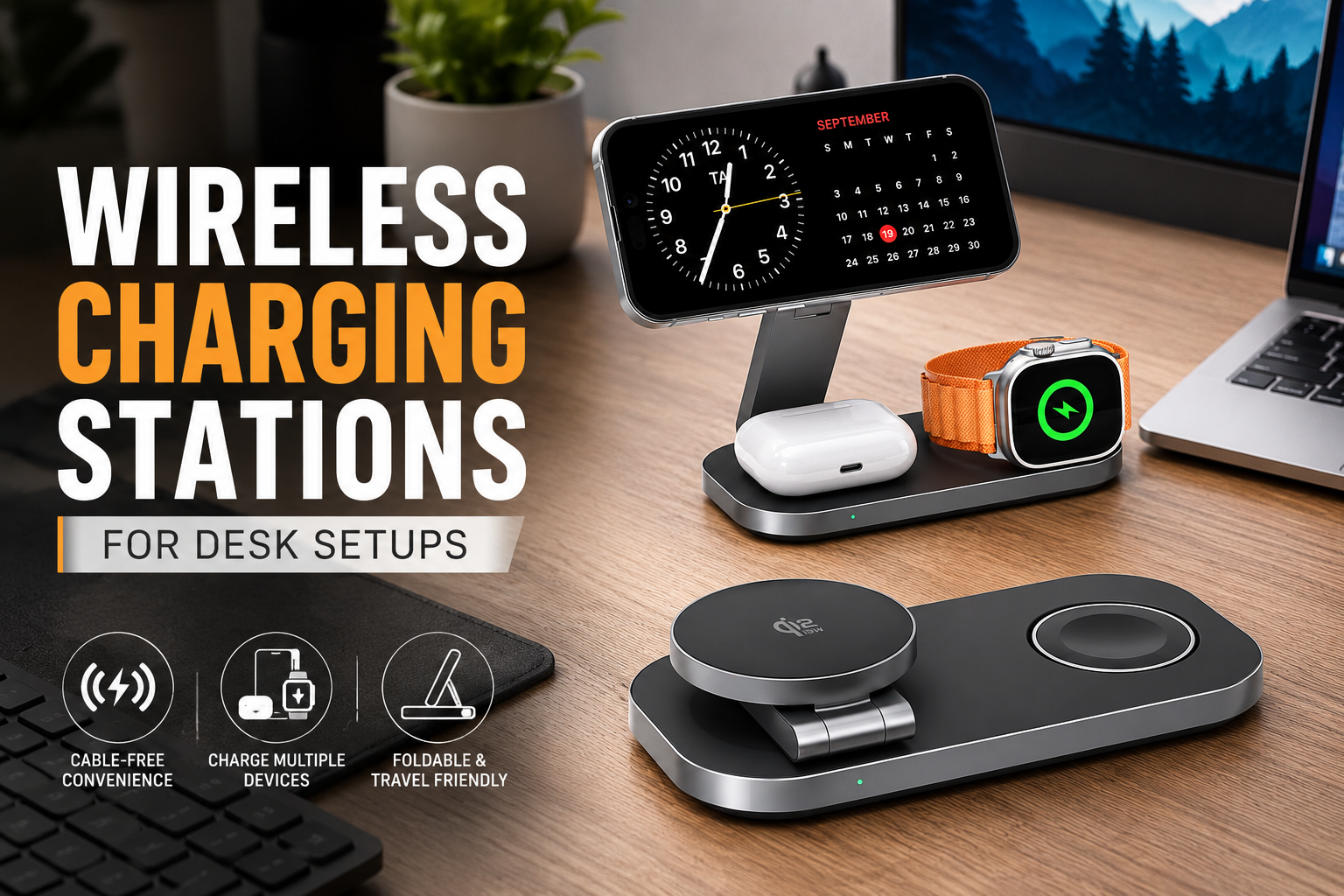
A while back, I looked at my desk and realized something funny. I had spent money on a nice monitor, mechanical keyboard, and even a cable management tray, yet there were still charging cables everywhere. One for my phone, another for my smartwatch, and a third for my wireless earbuds. Every time I sat down to work, I’d move a tangled cable out of the way before I could even open my laptop.
That’s when I decided to try a wireless charging station.
I honestly thought it would just be a small convenience, but it ended up making my workspace feel much more organized. I wasn’t plugging and unplugging cables all day, and my desk looked cleaner without much effort.
If you’re building a desk setup for work, gaming, studying, or content creation, a good wireless charging station can make a bigger difference than you might expect.
Why a Wireless Charging Station Is Worth Having
The biggest benefit isn’t that wireless charging is faster—it usually isn’t. The real advantage is convenience.
Instead of hunting for the right cable every time your battery gets low, you simply place your phone on the charging pad and keep working.
That small habit saves time throughout the day and helps reduce desk clutter.
Many charging stations can also power multiple devices at once, including:
- Smartphones
- Smartwatches
- Wireless earbuds
- Some tablets and accessories
Having one charging spot instead of several cables instantly makes the desk feel more organized.
How It Changed My Daily Routine
I used to leave my phone charging on the other side of the room because the cable barely reached my desk.
The problem?
I’d forget about it for hours or keep checking it unnecessarily.
After moving to a wireless charging stand beside my monitor, I could glance at notifications without picking up the phone. During video calls, it even worked as a simple phone stand while charging.
It wasn’t a life-changing upgrade, but it definitely made my workspace feel smoother and less distracting.
Choosing the Right Wireless Charging Station
Not every charging station is built the same. Before buying one, think about what devices you actually use every day.
1. Count Your Devices
If you only charge your phone, a single charging pad is enough.
If you also wear a smartwatch and use wireless earbuds, a 3-in-1 charging station is much more convenient.
Buying extra charging spots you never use usually isn’t worth the money.
2. Check Charging Compatibility
Most modern Android phones support Qi wireless charging, and many iPhones support both Qi and MagSafe-compatible wireless charging.
Before purchasing, make sure your phone supports wireless charging and that the station is compatible with your device.
3. Consider Charging Speed
Wireless charging isn’t always as fast as using a cable.
Look for chargers that support:
- 10W
- 15W
- Fast wireless charging standards supported by your phone
Keep in mind that your power adapter also affects charging speed. Using an older adapter may slow everything down.
4. Pick the Right Design
You’ll find several styles:
- Flat charging pads
- Vertical charging stands
- Foldable travel chargers
- Multi-device charging docks
For desk setups, I personally prefer vertical stands because they’re easier to glance at while working.
Where to Place It on Your Desk
Placement matters more than people think.
I found the sweet spot to be just beside my keyboard and slightly below my monitor.
That way:
- My phone stays within reach.
- Notifications are easy to see.
- The charging station doesn’t take up valuable workspace.
If you hide it behind your monitor, chances are you’ll forget to use it.
Simple Setup Tips
Getting the most from your charging station only takes a few minutes.
Keep the Surface Clear
Dust, coins, keys, or thick objects between your phone and charger can interfere with charging.
A quick wipe every week keeps everything working properly.
Use the Right Adapter
Many people blame the charging station when the real problem is the power brick.
Always use the adapter recommended by the manufacturer whenever possible.
Remove Thick Phone Cases
Most slim cases work perfectly.
Very thick rugged cases or metal accessories can reduce charging efficiency or stop charging altogether.
Common Mistakes I Made
I definitely learned a few things the hard way.
Buying the Cheapest Charger
My first wireless charger looked nice online but constantly disconnected.
Sometimes I’d wake up to find my phone still sitting at 20%.
After switching to a better-built charging station, those issues disappeared.
Ignoring Heat
Wireless charging naturally creates more heat than wired charging.
I avoid placing papers or other objects around the charger so it has room to dissipate heat.
Expecting Wired Charging Speeds
Wireless charging is about convenience, not breaking speed records.
If I need a quick battery boost before leaving the house, I still grab a wired charger.
For everyday desk use, wireless charging is more than fast enough.
Great Uses Beyond Work
A wireless charging station isn’t only useful during office hours.
I’ve found it handy for:
- Watching YouTube while charging
- Video calls
- Reading recipes in the kitchen
- Keeping my phone charged during long gaming sessions
- Charging overnight on a bedside table
Having a dedicated charging spot also helped me stop leaving my phone in random places around the house.
Is a Multi-Device Charging Station Worth It?
If you own multiple wireless devices, absolutely.
Instead of managing three separate charging cables, everything charges from one organized station.
It also reduces wear on charging ports because you’re plugging cables into the station—not into your phone every day.
Keeping Your Charging Station Looking Good
Since it’s always visible on your desk, a little maintenance goes a long way.
I wipe mine with a microfiber cloth every week and occasionally check the charging cable for wear. Dust can build up surprisingly fast, especially if your desk is near a window or fan.
Cable sleeves or clips can also help keep the power cable tucked neatly behind your desk, preserving the clean look you’re aiming for.
Final Thoughts
A wireless charging station won’t magically transform your productivity, but it can make your desk feel cleaner, more organized, and easier to use every single day.
After adding one to my setup, I noticed fewer loose cables, less clutter, and one less thing to think about during busy workdays. Sometimes it’s the small upgrades that make your workspace feel more enjoyable.
If you’re already investing in a comfortable chair, a good monitor, and proper desk organization, a reliable wireless charging station is a practical finishing touch that helps keep everything in one place and ready when you need it.
If you’d like, I can also Optimize this article further with SEO elements such as a meta title, Optimize this article further with a meta description, Optimize this article further with a FAQ section, Optimize this article further with internal linking suggestions, and Optimize this article further with schema-ready headings.