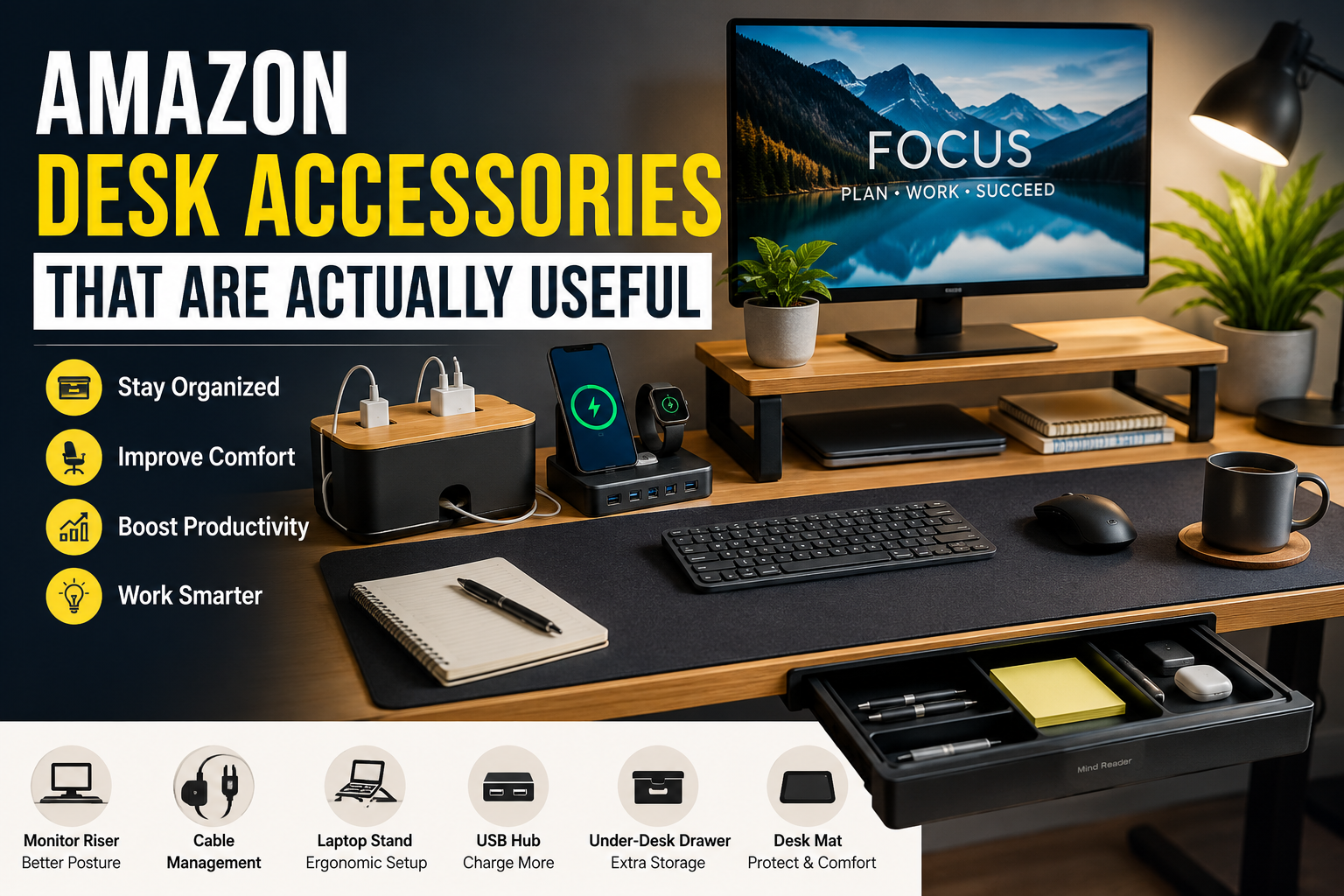
You don’t realize how annoying your desk is until you fix it
A while back, I kept telling myself I needed a bigger desk.
Every morning looked the same. My phone disappeared under notebooks, charging cables somehow tied themselves into knots, and my coffee mug was always one accidental elbow away from disaster. I blamed the desk.
Then I started replacing small things instead.
Instead of buying random “must-have” gadgets from social media, I picked a few desk accessories that solved actual problems. Surprisingly, my workspace felt twice as organized without getting any larger.
The biggest lesson? The most useful desk accessories aren’t the flashiest ones. They’re the ones you stop noticing because they quietly make your workday easier.
If you’re shopping on Amazon and wondering which desk accessories are genuinely worth your money, these are the ones I’d recommend first.
Quick Comparison Table
| Product | Best For | Pros | Cons |
|---|---|---|---|
| Monitor Riser | Better posture & extra storage | Raises screen to eye level, frees desk space | Takes up some width |
| Desk Mat | Cleaner workspace | Protects desk, smooth mouse movement | Needs occasional cleaning |
| Cable Management Box | Hiding messy cables | Makes desk look organized instantly | Doesn’t fit oversized power strips |
| Adjustable Laptop Stand | Laptop users | Better ergonomics and airflow | External keyboard works best |
| USB Charging Hub | Multiple devices | Reduces charger clutter | Needs one extra power outlet |
| Under-Desk Drawer | Extra storage | Hidden organization | Adhesive installation may not suit every desk |
1. Monitor Riser
If I could only recommend one desk accessory, this would probably be it.
For years I worked with my monitor sitting directly on the desk. I never noticed how much I looked downward until I switched to a monitor riser.
Within a few days my neck felt noticeably less stiff after long work sessions.
The bonus is the extra storage underneath. My keyboard slides underneath when I’m not using it, and notebooks fit there perfectly.
Pros
- Improves viewing height
- Reduces neck strain
- Creates additional storage
- Makes the desk look cleaner
Cons
- Uses desk space
- Cheap models can wobble
2. Large Desk Mat
I originally thought desk mats were mostly for aesthetics.
I was wrong.
A quality desk mat protects the desk, gives your mouse a consistent surface, keeps the keyboard from sliding around, and somehow makes the whole workspace feel more comfortable.
Cleaning also becomes easier because dust and coffee stains stay on the mat instead of the desk.
Pros
- Protects desktop surface
- Better mouse tracking
- Comfortable wrist support
- Makes workspace look organized
Cons
- Needs regular wiping
- Large sizes require accurate measurements
3. Cable Management Box
Nothing ruins a clean desk faster than a pile of tangled cables.
One weekend I finally spent twenty minutes organizing them with a cable management box and a few cable clips.
That simple change made the desk look completely different.
Now the power strip, charger bricks, and excess cables stay hidden while only the cables I actually use remain visible.
Pros
- Hides cable clutter
- Safer around children and pets
- Easier to clean around desk
Cons
- Can become crowded if overloaded
- Not ideal for very large power strips
4. Adjustable Laptop Stand
If you spend hours working on a laptop, this accessory makes a huge difference.
Instead of constantly looking down, the screen sits closer to eye level.
One mistake I made at first was using the laptop stand without an external keyboard.
That actually caused my shoulders to lift awkwardly.
Pairing the stand with a wireless keyboard and mouse solved the problem immediately.
Pros
- Better posture
- Improved airflow keeps laptop cooler
- Foldable for travel
- Adjustable angles
Cons
- External keyboard recommended
- Takes a little time to find the ideal height
5. USB Charging Hub
Modern desks somehow end up with chargers everywhere.
Phone charger.
Smartwatch charger.
Wireless earbuds.
Tablet.
Instead of using five separate wall adapters, a multi-port USB charging hub keeps everything in one place.
I especially like placing it toward the back corner of the desk so only the charging cables are visible.
Pros
- Reduces cable clutter
- Charges multiple devices
- Frees wall outlets
- Convenient daily use
Cons
- Premium models cost more
- Charging speeds vary between models
6. Under-Desk Storage Drawer
Sometimes you don’t need a larger desk—you just need somewhere to hide the little stuff.
Pens.
Sticky notes.
Flash drives.
USB adapters.
Cleaning cloths.
An adhesive under-desk drawer stores all those small items without taking up valuable desktop space.
After adding one, I stopped leaving random items scattered around simply because they finally had a place to go.
Pros
- Hidden storage
- Easy installation
- Great for small accessories
- Saves desktop space
Cons
- Limited storage capacity
- Adhesive installation isn’t ideal for every surface
How to Choose the Right Desk Accessories
It’s easy to get carried away when browsing Amazon.
Before buying anything, ask yourself one question:
What problem am I actually trying to solve?
If your neck hurts, buy ergonomic accessories.
If your cables are everywhere, buy cable organizers.
If your desk feels cramped, look for storage solutions.
Buying accessories based on actual problems usually leads to better purchases than buying whatever looks good in photos.
My Recommended Order of Purchase
If you’re building a workspace gradually, here’s the order I’d suggest:
Step 1
Start with a monitor riser or laptop stand.
Your posture affects every minute you work.
Step 2
Add a desk mat.
It’s inexpensive but improves comfort every day.
Step 3
Organize your cables.
A clean desk feels surprisingly less stressful.
Step 4
Add storage.
Small drawers and organizers reduce visual clutter.
Step 5
Upgrade convenience.
USB hubs and charging stations make daily routines easier.
Common Mistakes People Make
Buying too many accessories at once
A crowded desk isn’t automatically a productive desk.
Sometimes less really is more.
Choosing appearance over function
Some products look amazing in product photos but solve no real problem.
Prioritize usefulness first.
Ignoring desk dimensions
Measure your workspace before ordering.
I’ve seen plenty of people buy oversized monitor risers that barely fit.
Forgetting cable management
Even premium accessories can’t make a desk look organized if cables are hanging everywhere.
Real-Life Example
A friend recently started working remotely from a small apartment.
He planned to replace his desk because it always felt cluttered.
Instead, he spent less than the cost of a new desk on a monitor riser, cable organizer, desk mat, and under-desk drawer.
The workspace instantly looked larger—not because the desk changed, but because everything finally had a place.
Sometimes organization creates more usable space than buying bigger furniture.
Frequently Asked Questions
Are Amazon desk accessories worth buying?
Yes, if they solve a specific problem. Accessories that improve ergonomics, organization, or comfort usually provide much better value than decorative gadgets.
Which desk accessory should I buy first?
A monitor riser or laptop stand is often the best starting point because it improves posture during every work session.
Do expensive desk accessories last longer?
Not always. Build quality matters more than price. Reading customer reviews and checking materials is usually more helpful than assuming the most expensive option is the best.
Are desk mats actually useful?
Absolutely. Besides protecting the desk, they improve mouse performance, reduce keyboard movement, and make the workspace feel more comfortable.
How do I keep my desk from becoming cluttered again?
Try following a simple rule: if an item doesn’t get used daily, store it in a drawer or organizer instead of leaving it on the desktop.
Final Recommendation
If you’re only buying one accessory this month, I’d choose a monitor riser. It offers one of the biggest improvements in comfort while also creating valuable storage space.
After that, invest in a desk mat and proper cable management. Those three upgrades alone can completely change how your workspace looks and feels without spending a fortune.
The best desk setup isn’t the one with the most accessories—it’s the one where everything has a purpose. Focus on solving real problems one at a time, and you’ll end up with a workspace that’s easier to use every single day.