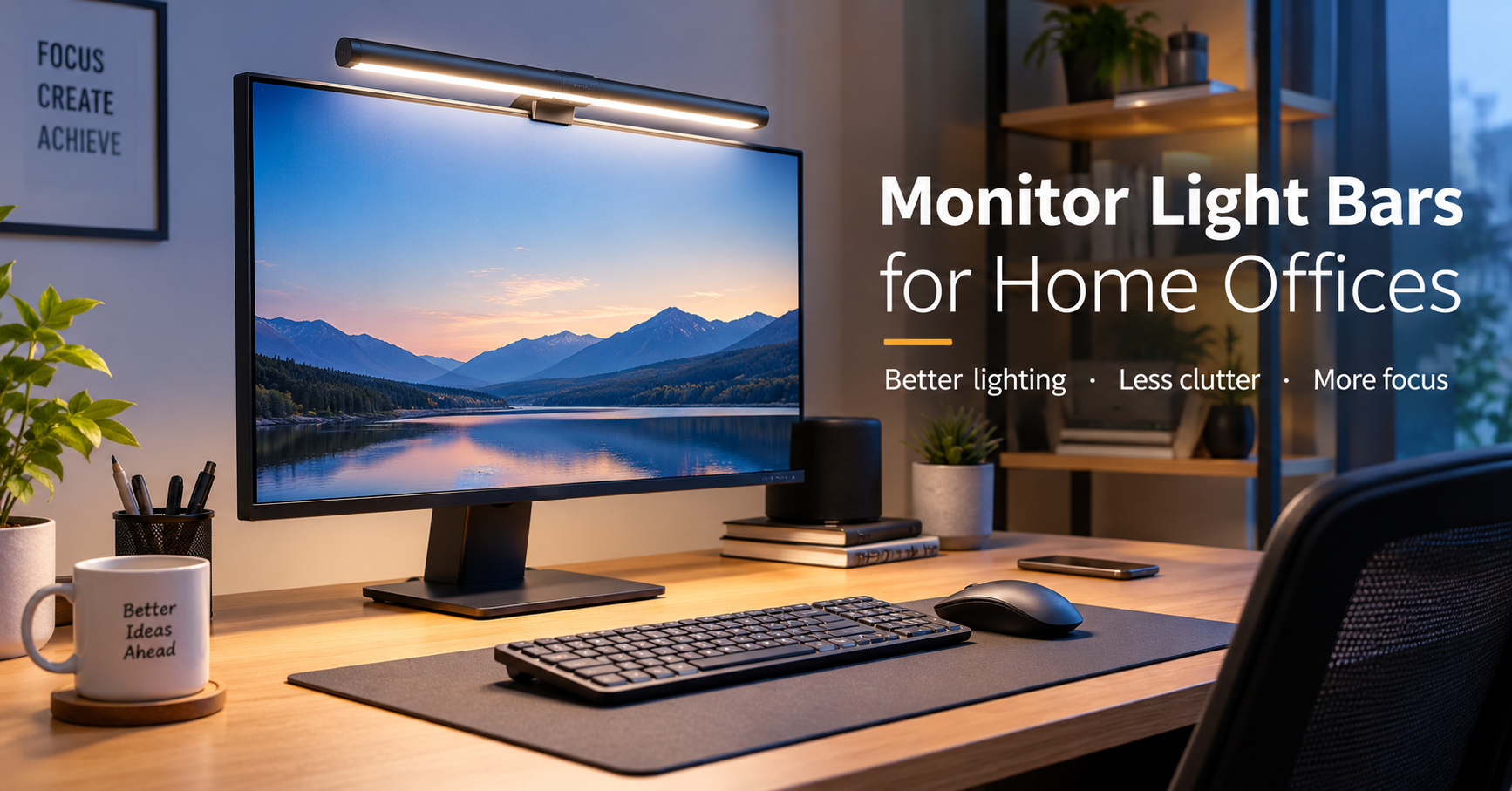
I used to think my desk lamp was doing a perfectly good job. It sat beside my monitor, looked decent, and gave me enough light to find things on the desk.
The problem showed up after a few hours of work.
The monitor was bright, the area around it was noticeably darker, and I kept adjusting the screen brightness depending on the time of day. At night, the difference between the glowing monitor and the dark wall behind it was especially noticeable.
That is when a monitor light bar started making sense.
Instead of taking up more desk space, it sits on top of the monitor and shines light down onto the desk. It can brighten your workspace without putting a lamp directly beside your keyboard or mouse.
If you’re building a small home office, working from a laptop with an external monitor, or simply tired of having a dark desk at night, a monitor light bar is worth considering.
What Is a Monitor Light Bar?
A monitor light bar is a slim LED light designed to sit on top of a computer monitor. Most models point the light toward your desk rather than directly at your eyes.
Many connect through USB, so you can usually power one from your computer, monitor, USB hub, or wall adapter.
Depending on the model, you may get features such as:
- Adjustable brightness
- Different color temperatures
- Touch or physical controls
- Wireless remote controls
- Automatic brightness adjustment
- Memory settings
- Asymmetrical lighting
- Screen glare reduction
- USB-C or USB-A power
The basic idea is simple: put useful light exactly where you need it without adding another bulky object to your desk.
Why Monitor Light Bars Are Useful in a Home Office
The biggest advantage is space.
A traditional desk lamp needs a spot on the desk. If your workspace is already occupied by a keyboard, mouse, speakers, notebook, phone stand, and other accessories, finding another few inches can be surprisingly difficult.
A monitor light bar uses space that would otherwise be unused.
It also creates a cleaner-looking setup. The light sits above the screen instead of having a lamp and its cable taking up valuable workspace.
But there is another benefit that I think matters more: controlling the difference between your screen and the surrounding area.
They Can Make Evening Work More Comfortable
When the room is dark but your monitor is extremely bright, your workspace can feel visually unbalanced.
Adding a moderate amount of light to the desk can make the area around the monitor less gloomy.
That doesn’t mean a light bar automatically prevents eye strain or solves every lighting problem. Your screen brightness, viewing distance, room lighting, and breaks still matter.
Think of the light bar as one part of a comfortable workspace rather than a magic solution.
The Mistake I Would Avoid: Making the Light Too Bright
This is probably the easiest mistake to make.
A light bar can look impressive when it’s running at maximum brightness. But you don’t necessarily want your desk illuminated like a photography studio.
For regular computer work, I prefer starting with a lower brightness and increasing it only when necessary.
During the daytime, you might barely need the light at all. At night, a higher setting can be useful.
The right brightness depends on your room, monitor, desk surface, and personal preference.
A good rule is simple: if you constantly notice the light itself, it may be too bright or positioned incorrectly.
Choosing the Right Color Temperature
Color temperature is another feature that can make a noticeable difference.
Many monitor light bars allow you to switch between warmer and cooler shades of white.
A cooler white can feel crisp and energetic during daytime work. A warmer setting can feel more relaxed in the evening.
You don’t necessarily need dozens of lighting modes. A light with straightforward warm-to-cool adjustment is often enough.
If you work late at night, having a warmer option can be particularly useful because it gives you more control over the overall feel of your workspace.
How to Position a Monitor Light Bar Correctly
Buying a good light bar is only half the job. Positioning matters.
Here’s a simple setup process.
Step 1: Place It Centrally on the Monitor
Start by positioning the light bar around the center of the monitor.
Most models use a weighted rear section or mounting mechanism that rests against the back of the display.
Make sure it feels stable before connecting the power cable.
Step 2: Aim the Light Toward the Desk
The goal is to illuminate your keyboard, notebook, mouse area, and other workspace surfaces.
You generally don’t want the strongest part of the beam pointed directly toward your eyes.
If the light has an adjustable angle, move it until the desk is bright while the screen remains comfortable to view.
Step 3: Adjust the Brightness
Start lower than you think you need.
Work for a few minutes and see how the desk feels. Increase the brightness gradually if the workspace still looks too dark.
This is much better than immediately using the highest setting.
Step 4: Adjust the Color
Try a neutral or cooler white during daytime work.
In the evening, experiment with a warmer setting.
Don’t worry about finding a perfect number. Your room’s existing lighting has a big influence on what looks comfortable.
Step 5: Check for Screen Reflections
This step is easy to forget.
Open a document with a mostly white background and look at the monitor from your normal sitting position.
If you see an obvious reflection from the light, adjust the angle.
A good monitor light bar should improve your workspace without becoming an annoying reflection on the display.
Monitor Light Bar vs. Traditional Desk Lamp
Both can work well, but they solve slightly different problems.
A desk lamp is more flexible. You can move it around, point it at a notebook, illuminate one side of the desk, or use it for other tasks.
A monitor light bar is more compact and keeps the desk surface clear.
Here’s a simple comparison:
| Feature | Monitor Light Bar | Desk Lamp |
|---|---|---|
| Desk space | Very little | Requires desk space |
| Installation | Usually quick | Usually quick |
| Directional lighting | Yes | Yes |
| Adjustable position | Limited | Usually more flexible |
| Monitor-friendly design | Yes | Depends on lamp |
| Best for small desks | Excellent | Depends on size |
| Reading documents | Good | Often better |
| Workspace aesthetics | Minimal | More noticeable |
If your desk is already crowded, I’d lean toward a monitor light bar.
If you regularly draw, read large documents, write on paper, or need to move the light around, a traditional lamp may still be the better choice.
What About Dual-Monitor Setups?
This is where things get slightly more complicated.
With two monitors, one light bar can illuminate the area in front of one display, but the overall lighting may not feel evenly distributed.
You could use a light bar on the primary monitor and rely on room lighting or another light source for the rest of the desk.
Using two light bars is also possible, but it isn’t always necessary.
Before buying two, try improving the room’s ambient lighting first. Sometimes the problem isn’t insufficient desk lighting; it’s that the room behind the monitors is simply too dark.
Features Worth Paying For
You don’t need every feature advertised on a monitor light bar.
I’d prioritize these:
Adjustable Brightness
This is almost essential. Different times of day require different brightness levels.
Adjustable Color Temperature
A warm-to-cool range gives you more flexibility for daytime and evening use.
Stable Mount
A cheap light that constantly moves or falls when you adjust the monitor is frustrating.
The mounting design matters more than it might seem.
Good Light Distribution
Look for a model designed to spread light across the desk rather than creating one harsh bright spot.
Simple Controls
Touch controls can be convenient, but physical buttons are perfectly fine too.
Some premium models include wireless controllers, which can be handy if the light’s controls are difficult to reach.
USB Power
USB-powered models are convenient for home offices because you can avoid adding another large power adapter to your setup.
Just make sure the USB port you’re using can provide the required power.
Features You Probably Don’t Need
RGB lighting can look great, especially in gaming setups, but it isn’t necessary for ordinary office work.
Likewise, complicated app controls aren’t automatically better.
If you’re going to use the light every day, simple controls for brightness and color temperature may be more useful than a long list of features you’ll never touch.
This is one of those desk accessories where simplicity can actually be an advantage.
Common Monitor Light Bar Mistakes
1. Buying Based Only on Appearance
A sleek light bar can look fantastic in product photos.
But pay attention to the mounting system, controls, brightness adjustment, and light distribution too.
2. Ignoring Monitor Thickness
Not every mounting mechanism works equally well with every monitor.
Check the manufacturer’s compatibility information before purchasing.
This becomes especially important with very thin displays, curved monitors, or unusual monitor designs.
3. Pointing the Light at Your Face
The light should generally illuminate the workspace.
If you can see the LEDs directly from your normal sitting position, experiment with the angle.
4. Making the Screen Too Bright
When you add more desk lighting, you may feel tempted to increase monitor brightness as well.
Don’t automatically do that.
Adjust the monitor and room lighting separately until the overall setup feels balanced.
5. Using It as the Only Light in the Room
A monitor light bar is not necessarily a replacement for general room lighting.
If the entire room is dark, adding only a bright strip of light above your monitor can still leave the surroundings visually unbalanced.
A little ambient room lighting can make a big difference.
A Practical Home Office Lighting Setup
You don’t need an expensive smart-home lighting system.
A simple setup can work extremely well:
1. Monitor light bar:
Provides focused light over the desk.
2. Soft room lighting:
Keeps the rest of the room from becoming completely dark.
3. Comfortable monitor brightness:
Avoids having the display become the brightest object in the room.
4. Natural daylight:
During the day, use window light where possible, while avoiding direct glare on the screen.
The combination is usually more useful than trying to make one light do everything.
Are Monitor Light Bars Good for Small Desks?
Absolutely.
This is probably one of their strongest use cases.
Imagine a 100–120 cm desk with a monitor, keyboard, mouse, laptop, notebook, phone, and speakers. Adding a traditional lamp can make the workspace feel cramped very quickly.
A monitor light bar keeps the lighting above the desk instead.
It also works nicely for minimalist setups where you want fewer objects sitting on the surface.
What I Learned About Cable Placement
There’s one small detail that’s easy to overlook: the power cable.
Because the light sits on top of the monitor, the cable usually runs down behind the display.
If your monitor already has several cables hanging behind it, adding another one can create a messy bundle.
A small cable clip or simple cable-management sleeve can help.
If your monitor has a USB port that remains powered when the computer is on, you may also be able to keep the setup particularly clean.
Just check the monitor’s USB power behavior before relying on it.
Who Should Buy a Monitor Light Bar?
A monitor light bar makes the most sense if you:
- Work at a computer for several hours
- Have limited desk space
- Work during the evening
- Prefer a minimalist desk
- Want adjustable desk lighting
- Use an external monitor regularly
- Don’t want a traditional lamp taking up workspace
It may be less useful if your room already has excellent, evenly distributed lighting or if you frequently need to move your light around for paper-based tasks.
A Simple Buying Checklist
Before ordering one, check these points:
Monitor compatibility:
Will the mounting system fit your display?
Brightness control:
Can you adjust it instead of using only one brightness level?
Color temperature:
Does it offer both warm and cool lighting?
Light direction:
Can you adjust where the light falls?
Power connection:
Does it use USB, and do you have a convenient port available?
Controls:
Are the buttons easy to reach?
Build quality:
Does the bar and mounting mechanism feel stable?
Screen reflections:
Is the optical design intended to reduce unwanted glare?
You don’t need the most expensive model to get a useful improvement. A well-designed basic light bar can be more practical than a feature-heavy model with controls you’ll never use.
Final Thoughts
A monitor light bar isn’t a dramatic upgrade like buying a new monitor or ergonomic chair. It’s a small change.
But small changes can have a surprisingly big effect on how a desk feels.
The biggest benefit isn’t simply having a brighter workspace. It’s being able to put useful light on the desk without sacrificing valuable space.
Start with moderate brightness, experiment with the color temperature, and pay attention to reflections. If your room is completely dark at night, combine the light bar with some gentle ambient lighting rather than expecting it to illuminate everything.
For a compact home office, especially one where every inch of desk space matters, a monitor light bar is one of those accessories that can quietly become part of your everyday routine. Once it’s positioned properly, you may stop noticing the light itself—and that’s usually a sign that you’ve got the setup right.