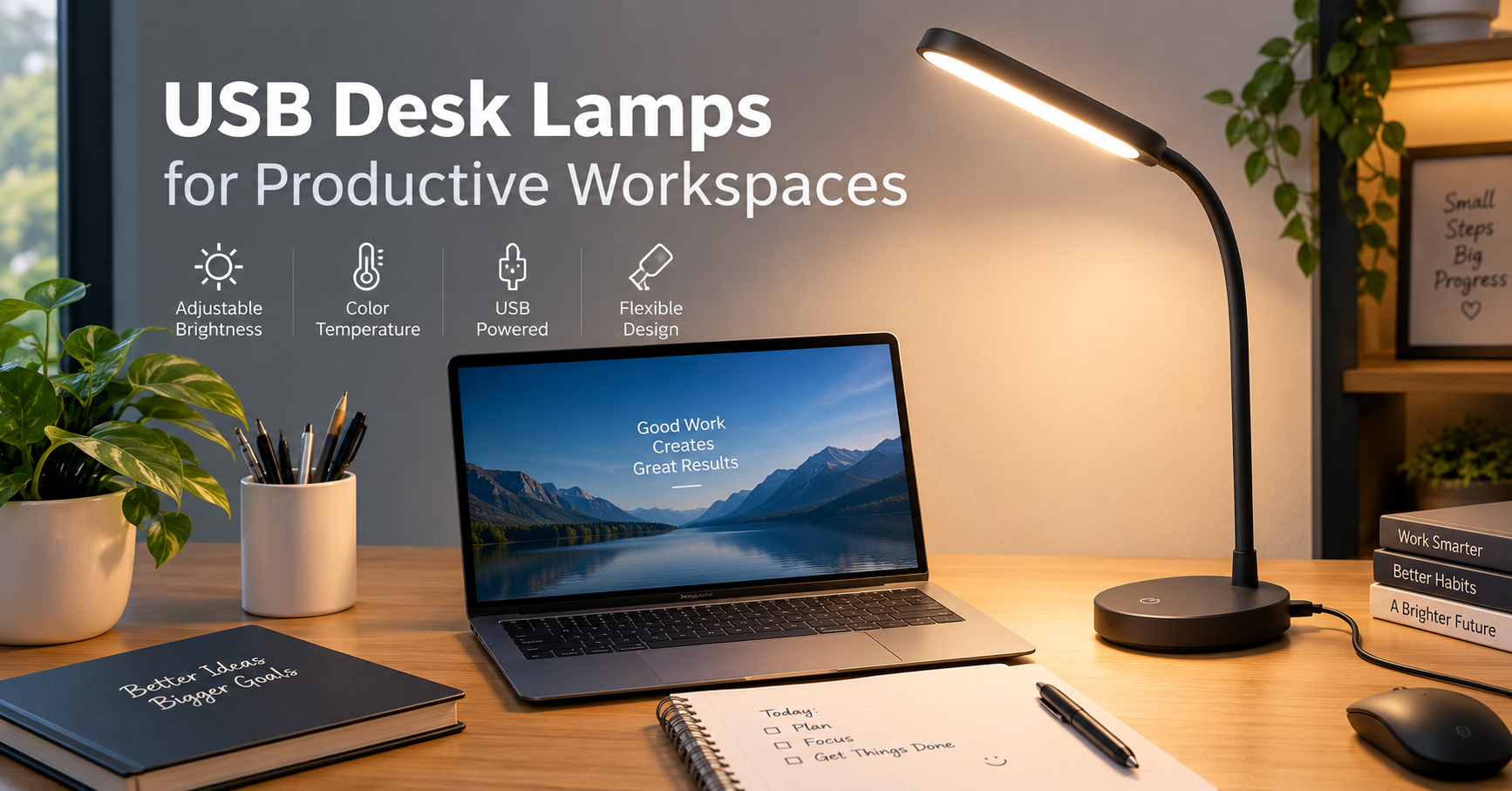
I used to think my desk setup was fine as long as the monitor was bright enough. Then I started working at my desk for longer periods in the evening, and I noticed something annoying: my screen was perfectly visible, but everything around it was too dark.
My notebook was sitting in a shadow. Finding a USB cable meant turning on the room light. Even writing down a quick idea became slightly uncomfortable because I was constantly moving things around to get enough light.
That was when I tried a USB desk lamp.
It wasn’t a dramatic change, but it solved one of those small workspace problems that you don’t appreciate until you’ve fixed it. I could point the light exactly where I needed it, keep the room relatively dim, and avoid having a large traditional lamp taking up valuable desk space.
If you’re building a home office, study corner, gaming setup, or simply want better lighting for evening work, a USB desk lamp can be a surprisingly practical addition.
Why a USB Desk Lamp Makes Sense on a Work Desk
The biggest advantage is flexibility.
A USB lamp can usually draw power from something you already have nearby, such as a laptop, desktop computer, USB hub, power bank, monitor, or wall adapter. That makes it easier to place the lamp exactly where you want it without worrying about another large power cable.
For a small desk, this matters.
I have found that bulky lamps can quickly consume the space you actually need for a keyboard, notebook, mouse, phone, and other accessories. A compact USB lamp gives you illumination without demanding much desk real estate.
They’re also useful when you don’t want the entire room brightly illuminated.
For example, imagine working on a laptop at 10 p.m. You want enough light to read a notebook or check paperwork, but you don’t necessarily want a bright ceiling light shining across the whole room.
A small desk lamp lets you create a more controlled lighting area.
What I Look for in a USB Desk Lamp
Not every inexpensive USB lamp is automatically a good choice. I’ve learned that the basic specifications matter more than fancy-looking designs.
Here are the features worth paying attention to.
Adjustable Brightness
Brightness control is one of the most useful features.
A lamp that only has one brightness level can be frustrating. A setting that feels comfortable during the day might be unnecessarily bright at night.
Look for a model with multiple brightness levels or a smooth dimming function.
You can use a brighter setting when reading documents and lower the intensity when you’re simply typing or checking emails.
Adjustable Color Temperature
Some USB lamps allow you to switch between warmer and cooler light.
This can be useful because different tasks feel better under different lighting.
A cooler white light can work well when you’re reading or doing detailed desk work, while warmer light can make an evening workspace feel less harsh.
You don’t need a lamp with dozens of lighting modes. Even two or three useful temperature settings can be enough.
Flexible Neck or Adjustable Head
This is something I wouldn’t skip.
A lamp with a flexible neck or adjustable head allows you to direct light toward your notebook, keyboard, or another specific area.
Without that adjustment, you may end up moving the entire lamp whenever you change tasks.
A simple adjustable design often ends up being more useful than decorative features.
USB Power
Check what type of USB connection the lamp uses.
Some models use USB-A, while newer accessories may use USB-C. If your workspace is already built around USB-C devices, a USB-C lamp can make cable management easier.
Also consider where you’ll plug it in.
A lamp connected directly to your laptop is convenient, but if you regularly move your laptop, you may prefer connecting the lamp to a USB wall adapter or powered hub.
Where Should You Put Your Desk Lamp?
Placement makes a bigger difference than I expected.
If you’re right-handed and write with your right hand, placing the lamp on the left side of the desk can help reduce shadows from your hand.
For left-handed users, the opposite arrangement may work better.
If you’re mostly typing, position the lamp so it lights the keyboard and desk surface without shining directly into your eyes.
This is particularly important with bright LED lamps.
I made the mistake of pointing a lamp toward my face because I wanted the desk to look brighter. It technically worked, but after a while the light became distracting.
The better approach is to illuminate the work surface, not your eyes.
A Simple USB Desk Lamp Setup
You don’t need a complicated process to get useful lighting.
Here’s the setup I would recommend.
Step 1: Decide What You Need to Illuminate
Think about what you’re actually doing at the desk.
Do you read books?
Take handwritten notes?
Use a laptop?
Work with paperwork?
Draw or sketch?
The answer will determine where the lamp should sit.
Step 2: Choose the Side
Place the lamp on the side that creates the fewest shadows for your main activity.
For writing, this is particularly important.
For computer work, focus on avoiding reflections on your monitor rather than simply maximizing brightness.
Step 3: Connect the USB Cable
Try the most convenient power source first.
A laptop USB port works well for temporary setups. For a permanent desk, a USB wall adapter or powered USB hub may be more convenient.
If you use a USB hub for other accessories, make sure it has enough available power for the lamp and your other devices.
Step 4: Adjust the Angle
Point the lamp toward the desk surface.
Don’t automatically aim it at your monitor. Depending on the lamp design, this can create reflections or annoying bright spots on the screen.
Step 5: Adjust Brightness
Start at a moderate brightness.
It’s tempting to turn an LED lamp all the way up because brighter initially feels better. But more light isn’t always more comfortable.
Adjust it based on the actual task and the surrounding room lighting.
USB Desk Lamps for Different Workspaces
One reason these lamps are popular is that they can fit into very different setups.
Home Office
For a home office, a compact USB lamp can provide additional task lighting without making the desk feel crowded.
It’s particularly useful if your main room lighting doesn’t adequately cover the desk.
Student Study Desk
Students can use a USB desk lamp for reading, writing assignments, or studying late in the evening.
A small lamp is also easier to move if the desk is shared or needs to be cleared regularly.
Gaming Setup
Gamers often have plenty of RGB lighting, but decorative lighting isn’t necessarily useful for reading notes, checking a controller, or organizing things on the desk.
A simple adjustable lamp can provide practical light without competing with the rest of the setup.
Laptop Workstation
This is probably one of the best use cases.
Laptop users often move between locations, and a USB-powered lamp can travel with the rest of the setup.
You can keep the lamp in your bag and use it at a desk where the lighting isn’t ideal.
My Biggest Mistakes With Desk Lighting
One of the easiest mistakes is buying based entirely on appearance.
A lamp might look fantastic in product photos but be awkward to use every day.
I’ve found that practical features such as an adjustable neck, stable base, accessible controls, and useful brightness settings matter much more after the first few days.
Another mistake is choosing a lamp that’s too large.
If your desk is already crowded, a huge lamp can make the workspace feel even more cramped. Measure the available area before buying.
Cable length is another small detail that’s easy to overlook.
A USB lamp with a short cable might work perfectly when connected to a laptop but become inconvenient if your preferred power source is several inches away.
Do USB Desk Lamps Use a Lot of Power?
Most compact LED USB desk lamps are designed to use relatively little power compared with larger lighting fixtures.
However, actual power consumption varies from one model to another.
If you’re using a laptop as the power source, remember that anything connected through USB can draw power from the laptop. For a permanent setup, using an appropriate wall adapter can be more convenient.
You don’t need to obsess over tiny differences in power consumption when choosing a desk lamp. For most buyers, adjustability, usability, build quality, and placement will have a much bigger impact on everyday satisfaction.
Things to Check Before Buying
Before adding a USB desk lamp to your workspace, run through this quick checklist:
- Brightness: Does it have enough adjustment for daytime and nighttime use?
- Color temperature: Can you choose between warmer and cooler light?
- Adjustability: Can you direct the light where you need it?
- Base: Is it stable enough that the lamp won’t tip over easily?
- USB connection: Does it match the cables and power sources you already use?
- Cable length: Will it comfortably reach your preferred power source?
- Controls: Are the buttons or touch controls easy to use?
- Size: Will it fit without taking over your workspace?
- Light direction: Can you position it without creating screen glare?
These details are more important than having the longest list of lighting modes.
A Few Practical Tips for Better Desk Lighting
A desk lamp works best when it complements the rest of your room lighting.
If your workspace is completely dark and the only light source is a bright lamp beside your monitor, the contrast can feel uncomfortable.
Instead, try keeping some gentle ambient lighting in the room while using the USB lamp for the actual work area.
Also keep the lamp clean.
LED lamps don’t require much maintenance, but dust on the light surface can gradually affect how evenly the light spreads.
And don’t place the lamp somewhere you’ll constantly bump it with your hand.
It sounds obvious, but a perfectly positioned lamp isn’t useful if you’re knocking it over every time you reach for your notebook.
Final Thoughts
A USB desk lamp isn’t the most exciting piece of office equipment you’ll buy, but it can make a desk noticeably easier to use.
The best part is that you don’t need an elaborate lighting system. A compact lamp with adjustable brightness, a flexible head, and a convenient USB connection can handle most everyday tasks.
If you’re shopping for one, I’d focus less on how many lighting modes it advertises and more on whether it fits your actual workspace.
Think about where you’ll place it, what you’ll use it for, how you’ll power it, and whether you can comfortably direct the light onto your work surface.
Those small decisions are what turn a basic USB lamp into something you’ll actually use every day.