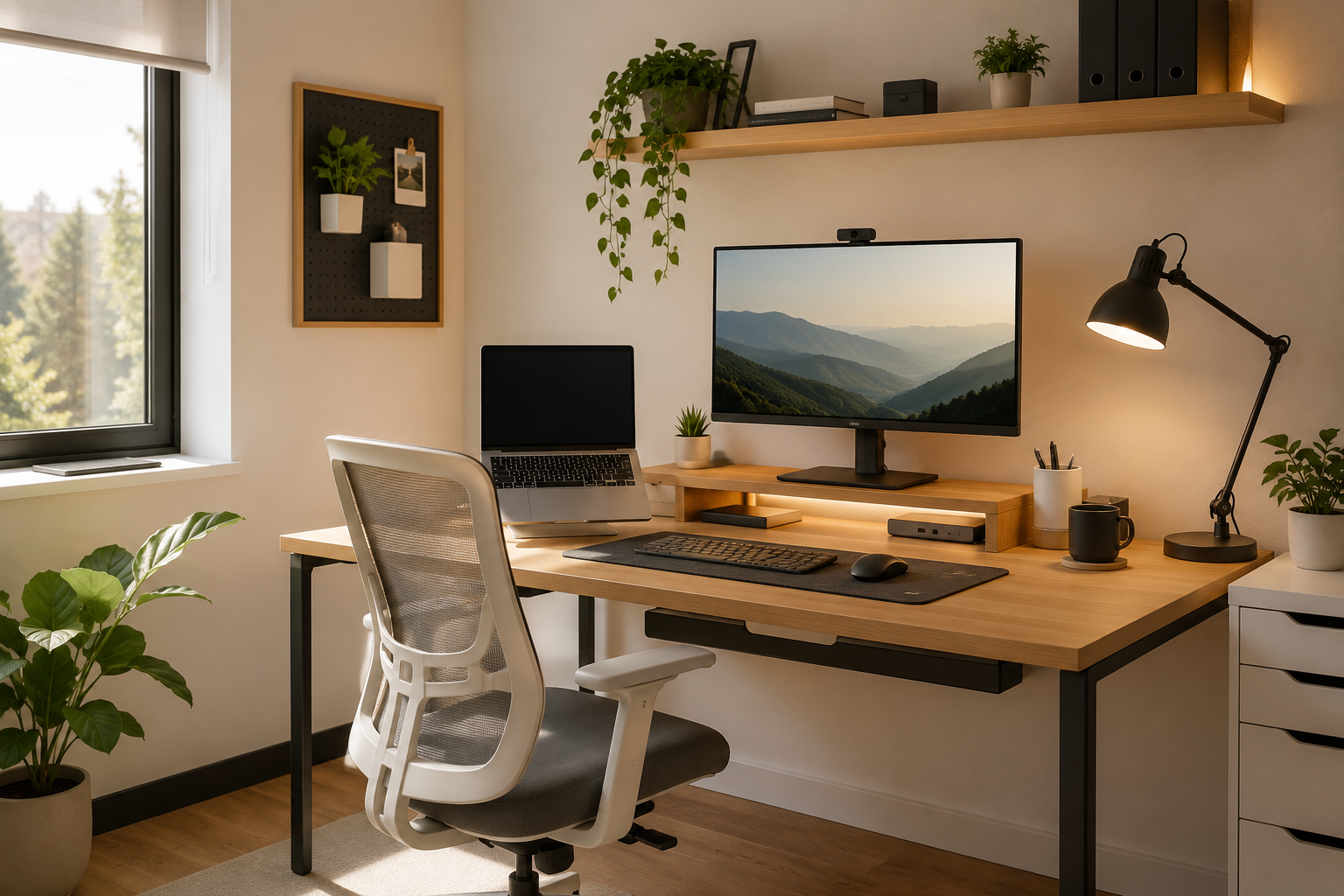
Turn a Tiny Corner into a Comfortable and Productive Workspace
A few years ago, my “home office” was nothing more than a small desk squeezed between my bed and a window. There wasn’t enough room for a proper office chair, cables were everywhere, and every time I needed a notebook, I had to move my keyboard first. After a few weeks of working like that, I started getting neck pain and realized something had to change.
The funny part? I thought the solution was buying a bigger desk. It wasn’t.
What actually made the biggest difference was choosing smarter furniture and using the available space more efficiently. Over time, I learned that even the smallest room can become a comfortable, organized workspace without spending a fortune.
If you’re dealing with limited space, this guide will help you build a practical desk setup that feels larger, stays organized, and supports long hours of work or study.
Quick Comparison Table
| Feature | Budget Setup | Mid-Range Setup | Premium Setup |
|---|---|---|---|
| Desk Size | 32-40 inches | 40-48 inches | 48-55 inches |
| Monitor | Laptop only | 24-inch monitor | 27-inch monitor |
| Storage | Desk organizer | Drawer unit | Monitor riser with storage |
| Cable Management | Cable clips | Cable tray | Hidden cable raceway |
| Estimated Cost | $150-$300 | $300-$700 | $700+ |
Why Small Desk Setups Often Feel Cluttered
One mistake I made early on was thinking I needed everything on my desk.
Coffee mug.
Tablet.
Notebook.
Extra keyboard.
Speakers.
Random chargers.
Before I knew it, I had no room left to actually work.
A small workspace doesn’t become cramped because it’s small. It becomes cramped because every item competes for the same limited surface.
The goal isn’t adding more accessories—it’s removing distractions while keeping the essentials within reach.
Step 1: Choose the Right Desk Size
Many people buy the largest desk that fits the room. I did exactly that.
The result?
The room felt smaller, walking space disappeared, and cleaning became frustrating.
Instead, choose a desk that leaves breathing room around it.
For most small bedrooms or apartments:
- 32–40 inches works for laptop users.
- 40–48 inches is ideal for one monitor.
- Corner desks work surprisingly well if the room layout allows them.
- Wall-mounted folding desks are excellent for very tight spaces.
Remember, extra floor space often makes the entire room feel bigger.
Step 2: Raise Your Monitor
One of the cheapest improvements I ever made was adding a monitor riser.
It instantly created storage underneath while lifting my screen to eye level.
That single change helped with:
- Better posture
- Less neck strain
- More usable desk space
- Cleaner appearance
If you use a laptop, a laptop stand provides similar benefits.
Step 3: Keep Cables Off the Desk
Nothing makes a workspace look messy faster than visible cables.
At first, I ignored cable management because it seemed unnecessary.
Then I spent fifteen minutes untangling charging cables before every meeting.
Now I use:
- Cable clips
- Velcro straps
- Under-desk cable tray
- Cable sleeve
The desk instantly looks more organized, and cleaning becomes much easier.
Step 4: Use Vertical Space
When desk space is limited, look upward.
The wall behind your desk can become valuable storage.
Ideas include:
- Floating shelves
- Pegboards
- Headphone hooks
- Small wall organizers
- Magnetic whiteboards
Instead of spreading everything across the desk, move frequently used items onto the wall.
Step 5: Keep Only Daily Essentials
Ask yourself one simple question:
“Did I actually use this today?”
If the answer is no, it probably doesn’t belong on your desk.
My everyday essentials are:
- Keyboard
- Mouse
- Notebook
- Water bottle
- Desk lamp
Everything else stays inside a drawer.
The cleaner the workspace, the easier it becomes to focus.
Products Worth Considering
These are the types of products that consistently improve small desk setups without taking up unnecessary room.
1. Adjustable Monitor Riser
Pros
- Creates extra storage underneath
- Improves posture
- Works with most monitors
- Easy to install
Cons
- Adds slight height to the monitor
- Some models have limited weight capacity
2. Laptop Stand
Pros
- Better viewing angle
- Improves airflow
- Frees desk space
- Portable
Cons
- Usually requires an external keyboard
- Cheap models may wobble
3. Under-Desk Cable Management Tray
Pros
- Hides cables completely
- Easier cleaning
- Safer workspace
- Looks much neater
Cons
- Installation may require screws
- Doesn’t fit every desk
4. Compact LED Desk Lamp
Pros
- Saves space
- Adjustable brightness
- Reduces eye strain
- Energy efficient
Cons
- Premium models cost more
- Touch controls aren’t everyone’s favorite
5. Desk Organizer with Drawers
Pros
- Keeps accessories organized
- Reduces clutter
- Easy access
- Affordable
Cons
- Occupies some desk space
- Can become messy if overfilled
My Favorite Layout for Small Spaces
After trying multiple arrangements, this layout consistently works best.
Left side:
- Desk lamp
- Plant
Center:
- Monitor
- Keyboard
- Mouse
Right side:
- Notebook
- Water bottle
Under monitor:
- External SSD
- Charging dock
- Small storage tray
This keeps everything balanced while leaving plenty of room for writing.
Small Changes That Make a Big Difference
You don’t need expensive furniture.
Some of the best improvements cost less than a meal at a restaurant.
For example:
- Replace bulky speakers with compact ones.
- Mount your power strip underneath the desk.
- Use wireless peripherals if possible.
- Add a desk mat to define your workspace.
- Use one charging station instead of multiple chargers.
These small upgrades add up surprisingly quickly.
Common Mistakes to Avoid
Buying a Desk That’s Too Large
A huge desk can make a small room feel even smaller.
Ignoring Ergonomics
Saving space shouldn’t come at the expense of comfort.
Poor posture becomes noticeable after several weeks.
Too Many Decorations
Plants, figures, candles, and accessories are great—but only in moderation.
Leave enough empty space for actual work.
Forgetting Lighting
A poorly lit workspace feels tiring.
Natural light is ideal, but a good LED desk lamp is the next best option.
Skipping Cable Management
Even the most beautiful setup looks messy when cables are hanging everywhere.
Real-Life Example
A friend recently moved into a studio apartment where the only available workspace was a corner near the wardrobe.
Instead of buying a giant office desk, they chose a compact 40-inch desk, added a monitor arm, mounted two floating shelves above it, and used an under-desk cable tray.
The result looked larger than the actual space because the desk surface stayed mostly clear.
Sometimes the smartest setup isn’t the biggest one—it’s simply the most organized.
Frequently Asked Questions
What is the ideal desk size for a small room?
A desk between 32 and 48 inches wide is usually enough for most people. Choose based on whether you use only a laptop or also need space for a monitor.
Can I use two monitors in a small workspace?
Yes. A dual-monitor arm helps free up valuable desk space while keeping both screens at a comfortable viewing height.
Are standing desks good for small spaces?
Yes, as long as you choose a compact model. Many modern standing desks come in smaller sizes that fit apartments and bedrooms.
How do I make my desk look less cluttered?
Keep only daily essentials on the surface, hide cables, use vertical storage, and store rarely used items in drawers or shelves.
What’s the first upgrade I should make?
A monitor riser or laptop stand is one of the most affordable upgrades. It improves posture while creating extra storage underneath.
Final Recommendation
After experimenting with several different layouts over the years, I’ve realized that the best small desk setup isn’t about fitting more onto the desk—it’s about making every item earn its place.
Start with a desk that fits your room instead of filling it. Add a monitor riser or laptop stand, organize your cables, and take advantage of the wall space above your desk. These simple changes create a workspace that feels open, comfortable, and easy to maintain.
You don’t need an expensive office or a huge room to enjoy a productive setup. With a few thoughtful upgrades and a little organization, even a quiet corner can become a workspace you’ll actually enjoy using every day.