Introduction: The Small Desk Changes That Made a Big Difference
A few years ago, I thought my focus problems were caused by a lack of motivation. Every time I sat down to work, I found myself checking my phone, opening unnecessary browser tabs, or getting distracted by random things around my desk.
The surprising part? The problem wasn’t always my habits. A lot of it came from my workspace.
My desk was cluttered, the lighting was poor, cables were everywhere, and my monitor sat at an awkward angle. After gradually upgrading a few parts of my setup, I noticed something interesting: staying focused became easier.
These weren’t expensive office renovations. Most were simple desk upgrades that removed distractions and made work more comfortable.
If you’re trying to improve productivity while studying, working remotely, creating content, or running a business, these desk upgrades can help create an environment where focus comes naturally.
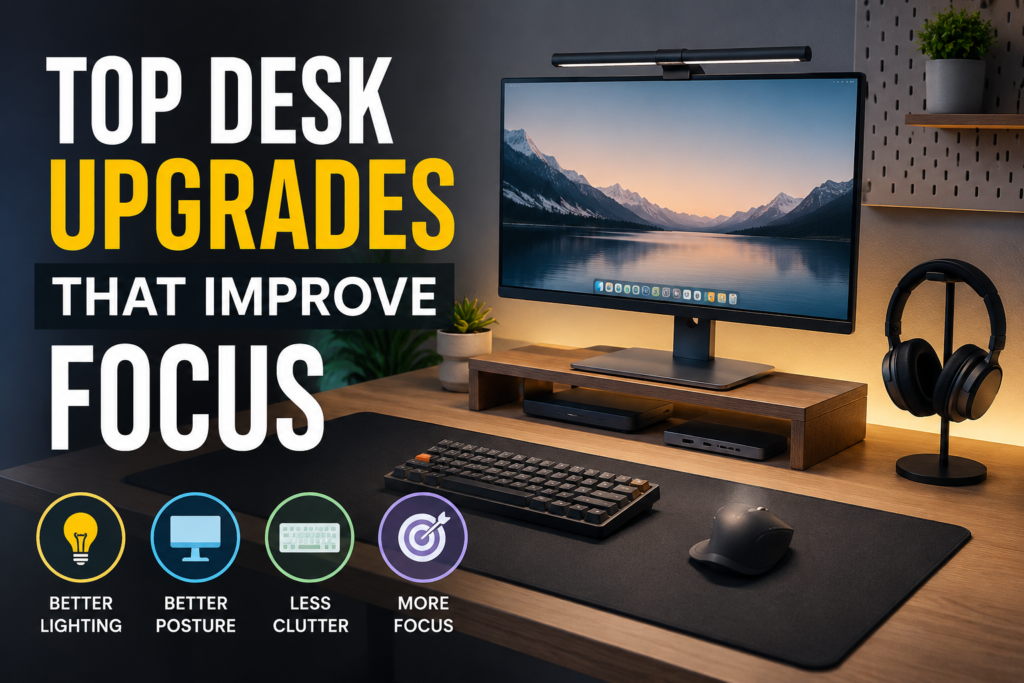
Quick Comparison Table
| Product | Best For | Category | Price Range |
|---|---|---|---|
| BenQ ScreenBar | Better lighting | Monitor Light | Premium |
| Logitech MX Master 3S | Productivity work | Mouse | Premium |
| Anker USB-C Hub | Desk organization | Connectivity | Budget |
| Dell UltraSharp Monitor | Multi-tasking | Monitor | Premium |
| Grovemade Desk Pad | Cleaner workspace | Desk Accessory | Premium |
| IKEA Monitor Stand | Better posture | Desk Organizer | Budget |
| Keychron K8 Pro | Comfortable typing | Keyboard | Mid-Range |
| Elgato Wave Mic Arm | Cable management | Workspace Upgrade | Mid-Range |
| Samsung T7 SSD | Faster workflow | Storage | Mid-Range |
| Quntis Monitor Light Bar | Budget lighting | Monitor Light | Budget |
Best Overall Pick
Logitech MX Master 3S
After testing multiple productivity accessories, this is the upgrade that consistently improved my daily workflow the most.
Why it stands out:
-
- Extremely comfortable for long sessions
- Quiet clicks
- Customizable shortcuts
- Excellent battery life
- Smooth scrolling through large documents
Pros
- Ergonomic design
- Reliable wireless connection
- Great customization options
- Works across multiple devices
Cons
- Higher price than basic mice
- May feel large for smaller hands
Budget Pick
Quntis Monitor Light Bar
One of the most affordable upgrades that can instantly improve focus.
Instead of lighting up the entire room, it directs light exactly where you’re working.
Pros
- Affordable
- Easy installation
- Reduces eye strain
- Saves desk space
Cons
- Basic brightness controls on some models
- Not as refined as premium alternatives
Premium Pick
BenQ ScreenBar
This upgrade completely changed how comfortable evening work sessions felt.
The light shines directly onto the desk without creating monitor glare.
Pros
- Excellent build quality
- Adjustable brightness
- Reduces eye fatigue
- Minimal desk footprint
Cons
- Expensive
- Not necessary if your room already has perfect lighting
10 Desk Upgrades That Improve Focus
1. Add a Monitor Light Bar
This was one of the upgrades I underestimated the most.
I used to work under a ceiling light that created shadows across my keyboard and desk.
A monitor light bar solved that instantly.
Benefits include:
- Less eye strain
- Better visibility
- Reduced headaches
- Improved concentration during long sessions
Popular options:
- BenQ ScreenBar
- Quntis Monitor Light Bar
2. Upgrade to an Ergonomic Mouse
A poor mouse can become surprisingly distracting.
When your wrist feels uncomfortable, you’re constantly adjusting your hand position.
After switching to an ergonomic mouse, I noticed less fatigue during editing and research work.
Good choices include:
- Logitech MX Master 3S
- Logitech Lift
- Razer Pro Click
3. Use a Large Desk Mat
Before using a desk mat, my desk always looked messy.
A large desk mat creates visual organization.
It also gives every item a designated place.
Benefits:
- Cleaner appearance
- Reduced visual clutter
- Better mouse tracking
- More comfortable wrist support
4. Raise Your Monitor to Eye Level
This sounds simple, but it has a huge impact.
For years I looked slightly downward while working.
By using a monitor stand, my posture improved and neck strain decreased.
When you’re physically comfortable, it’s easier to stay mentally focused.
Budget options:
- IKEA monitor stands
- Adjustable laptop risers
- Wooden desktop shelves
5. Switch to a Comfortable Mechanical Keyboard
Typing all day on an uncomfortable keyboard can be exhausting.
A quality keyboard improves:
- Typing accuracy
- Comfort
- Speed
- Overall enjoyment
I personally found that a quieter mechanical keyboard helped me stay engaged during long writing sessions.
Recommended models:
- Keychron K8 Pro
- Keychron V Series
- Logitech MX Mechanical
6. Manage Cables Properly
Cable clutter creates visual noise.
It may seem minor, but every time I glanced at tangled cables behind my monitor, my workspace felt chaotic.
Simple upgrades include:
- Cable sleeves
- Under-desk cable trays
- Adhesive cable clips
The result is a desk that feels calmer and more professional.
7. Add a Second Monitor (If Your Work Requires It)
This isn’t necessary for everyone.
However, if you’re constantly switching between applications, a second monitor can significantly improve focus.
For example:
- Writing on one screen
- Research on another
- Spreadsheet on one side
- Communication tools on the other
Less window switching means fewer interruptions.
A quality monitor like the Dell UltraSharp series works especially well for productivity setups.
8. Use a USB-C Hub or Docking Station
One frustration that repeatedly broke my focus was plugging and unplugging devices.
A docking station solved this problem.
Everything stays connected:
- Monitor
- Keyboard
- Mouse
- SSD
- Charging cable
With a single connection, the workspace is ready.
Popular option:
- Anker USB-C Hub
9. Keep an External SSD Within Reach
Nothing interrupts focus like waiting for files to transfer.
A fast SSD helps keep projects moving.
The Samsung T7 remains one of the most reliable options for:
- Content creators
- Students
- Remote workers
- Freelancers
10. Create a Distraction-Free Phone Zone
This upgrade costs almost nothing.
One of my biggest productivity mistakes was keeping my phone directly beside my keyboard.
Every notification became a temptation.
Moving the phone to a stand on the far side of the desk reduced interruptions dramatically.
Simple solutions:
- Phone stand
- Charging dock
- Desk shelf
The goal is making your phone less visible while still accessible.
How to Upgrade Your Desk Without Wasting Money
A mistake many people make is buying everything at once.
I made this mistake myself.
Some products looked amazing online but didn’t actually solve any real problems.
Instead, follow this process:
Step 1: Identify Your Biggest Distraction
Ask yourself:
- Is it poor lighting?
- Neck pain?
- Cable clutter?
- Slow workflow?
- Constant phone distractions?
Start there.
Step 2: Buy One Upgrade
Use it for a week or two.
See whether it actually improves focus.
Step 3: Fix the Next Problem
Gradually improve the workspace instead of rebuilding everything at once.
Common Mistakes to Avoid
Buying for Aesthetics Only
A beautiful desk doesn’t automatically improve productivity.
Function should come first.
Ignoring Lighting
Many people spend hundreds on gadgets while working under terrible lighting.
Good lighting often has a bigger impact than another accessory.
Overcrowding the Desk
Ironically, adding too many accessories can hurt focus.
Keep only items you regularly use.
Chasing Every Productivity Trend
Not every viral desk gadget is useful.
Focus on upgrades that solve actual problems.
Frequently Asked Questions
What desk upgrade improves focus the most?
For most people, better lighting and a cleaner workspace provide the biggest improvement because they reduce eye strain and distractions.
Are expensive desk accessories worth it?
Sometimes. Premium products often offer better build quality and comfort, but many budget alternatives deliver similar benefits.
Do dual monitors increase productivity?
For tasks involving research, spreadsheets, design work, or multitasking, dual monitors can save time and reduce interruptions.
What is the best budget desk upgrade?
A monitor light bar, monitor stand, or cable management kit can provide noticeable improvements without spending much money.
How do I make my desk less distracting?
Remove unnecessary items, organize cables, improve lighting, and keep your phone out of immediate reach.
Final Recommendation
If you’re starting from scratch, don’t feel pressured to buy every productivity gadget you see online.
The upgrades that improved my focus the most were surprisingly simple: better lighting, cleaner cable management, an ergonomic mouse, and a properly positioned monitor.
If you only invest in one item, the Logitech MX Master 3S is the best overall choice because you’ll interact with it for hours every day. If you’re on a tighter budget, a monitor light bar offers one of the best focus-to-cost ratios available.
The goal isn’t creating a perfect-looking desk. It’s creating a workspace that helps you sit down, start working, and stay focused with fewer distractions.