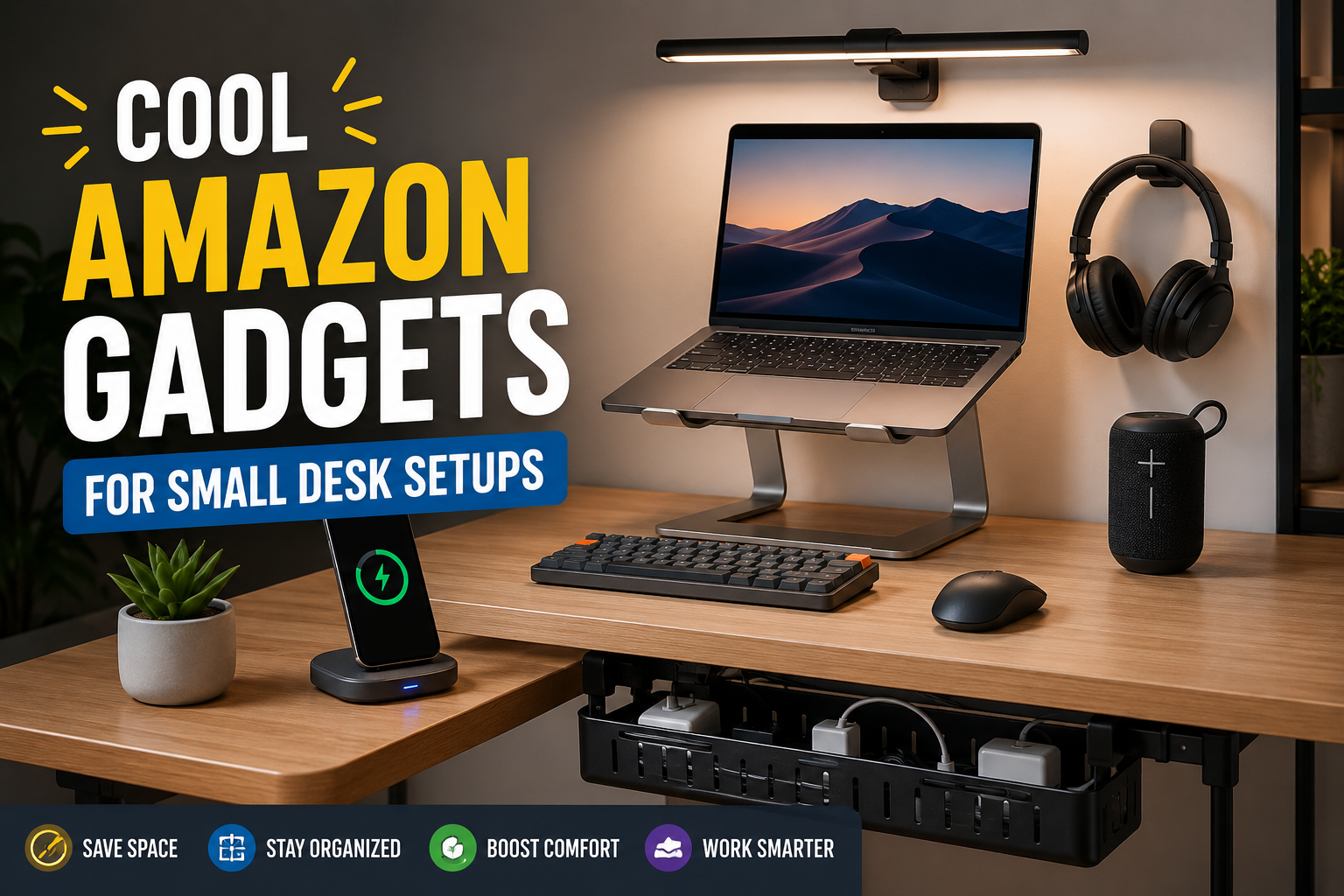
If Your Desk Always Feels Too Small, You’re Not Alone
A few years ago, I switched from working at a large office desk to a tiny corner desk in my bedroom. At first, I thought I could simply place my laptop, notebook, and coffee mug on it and call it a day.
I was wrong.
Within a week, cables were everywhere, my phone kept disappearing under papers, and I barely had enough room to move my mouse comfortably. The worst part wasn’t the lack of space—it was how distracting the clutter became.
After testing dozens of desk accessories and gadgets over time, I discovered that the right tools can completely change how a small workspace feels. A few smart additions helped me free up space, stay organized, and make my setup far more enjoyable to use.
If you’re working with a compact desk, these are some of the coolest Amazon gadgets worth considering.
Quick Comparison Table
| Product | Best For | Space Saving | Price Range |
|---|---|---|---|
| Laptop Stand | Better posture and extra desk space | High | $ |
| Monitor Light Bar | Cleaner lighting setup | High | $$ |
| USB-C Hub | Expanding connectivity | Medium | $$ |
| Wireless Charging Pad | Cable reduction | High | $$ |
| Under-Desk Cable Tray | Cable management | High | $ |
| Desk Clamp Headphone Holder | Accessory storage | High | $ |
| Mini Bluetooth Speaker | Compact audio solution | Medium | $$ |
1. Adjustable Laptop Stand
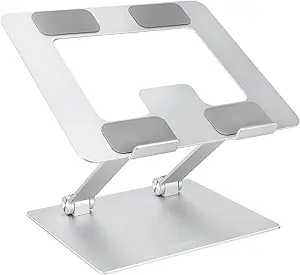
When I first bought a laptop stand, I expected a slight improvement in comfort. What surprised me was how much desk space it created.
By elevating the laptop, I suddenly had room underneath for a keyboard, notebook, or other accessories.
Most adjustable stands also improve airflow, which helps keep laptops cooler during long work sessions.
Pros
- Improves posture
- Creates additional workspace
- Better laptop cooling
- Portable and lightweight
Cons
- Requires an external keyboard for best comfort
- Some budget models can wobble
Best For
Remote workers, students, and anyone using a laptop as their primary computer.
2. Monitor Light Bar
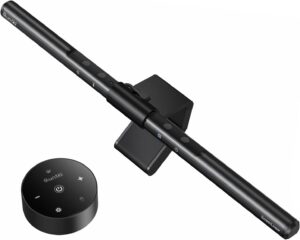
This is one gadget I wish I had discovered earlier.
Traditional desk lamps often consume valuable workspace. A monitor light bar sits directly on top of your monitor and shines light downward onto your desk.
The result is a cleaner setup with fewer shadows and more available space.
I especially noticed the difference during late-night writing sessions when eye strain became a problem.
Pros
- Saves desk space
- Reduces screen glare
- Cleaner appearance
- Easy installation
Cons
- Requires a monitor to mount on
- Premium models can be expensive
Best For
People who work at night or spend long hours at their desks.
3. USB-C Hub
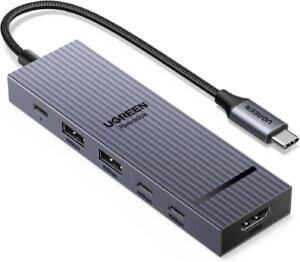
Modern laptops seem determined to remove ports every year.
I learned this the hard way after buying a new laptop and realizing I couldn’t connect half of my devices without adapters.
A compact USB-C hub instantly solves this problem.
Most models add USB ports, SD card readers, HDMI outputs, and charging support while taking up very little room.
Pros
- Expands connectivity
- Great for laptops with limited ports
- Portable
- Helps reduce adapter clutter
Cons
- Performance varies by brand
- Cheap hubs may overheat
Best For
Laptop users who connect multiple devices regularly.
4. Wireless Charging Pad
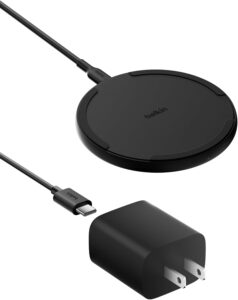
One of the easiest ways to make a small desk feel cleaner is reducing cable clutter.
A wireless charging pad lets you place your phone down and charge it without constantly plugging and unplugging cables.
At first, I bought one mostly for convenience. What surprised me was how much cleaner my desk looked afterward.
Pros
- Fewer visible cables
- Convenient charging
- Compact design
- Works with many smartphones
Cons
- Slightly slower than wired charging
- Some phone cases interfere with charging
Best For
Anyone trying to minimize desk clutter.
5. Under-Desk Cable Management Tray
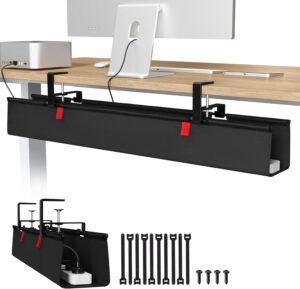
This may not be the most exciting gadget on the list, but it delivers one of the biggest improvements.
Before installing a cable tray, I constantly kicked power cords and tangled charging cables under my desk.
An under-desk tray hides power strips and cables out of sight, making the entire setup look more professional.
Pros
- Eliminates cable mess
- Improves appearance
- Keeps cords organized
- Affordable upgrade
Cons
- Installation takes a few minutes
- Not visible, so it’s not a flashy upgrade
Best For
Anyone tired of cable chaos.
6. Desk Clamp Headphone Holder
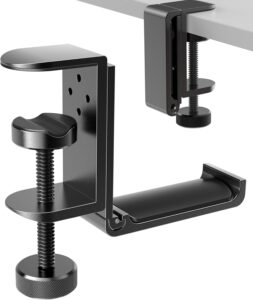
Headphones take up more space than most people realize.
For months, I left mine on the desk whenever I wasn’t using them. They constantly got in the way.
A simple clamp-on headphone holder solved the problem immediately.
It attaches underneath or beside the desk and keeps headphones accessible without consuming workspace.
Pros
- Saves desk space
- Inexpensive
- Easy installation
- Prevents accidental damage
Cons
- Works best on desks with suitable edges
- Limited to holding lightweight accessories
Best For
People who frequently use headphones during work or gaming.
7. Mini Bluetooth Speaker
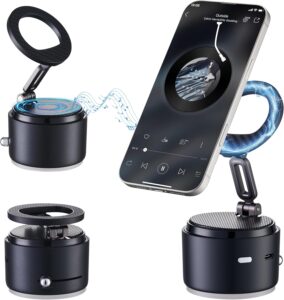
Not everyone has room for large desktop speakers.
Compact Bluetooth speakers can provide surprisingly good sound while occupying minimal space.
I use one during work for background music and podcasts, and it’s much easier to position than traditional speaker systems.
Pros
- Small footprint
- Portable
- Wireless connectivity
- Great for music and calls
Cons
- Less powerful than larger speakers
- Battery eventually needs charging
Best For
Users wanting better audio without bulky equipment.
How to Choose the Right Gadget for Your Small Desk
Not every gadget will improve your setup.
Here’s the process I usually recommend:
Step 1: Identify Your Biggest Problem
Ask yourself:
- Is cable clutter the issue?
- Do you lack charging options?
- Is lighting poor?
- Is your desk physically too crowded?
The best purchase solves an actual problem.
Step 2: Prioritize Vertical Space
Small desks often have unused vertical space.
Monitor light bars, laptop stands, and clamp-mounted accessories take advantage of areas that would otherwise remain empty.
Step 3: Reduce Cables First
Before buying decorative gadgets, focus on cable management.
Even expensive setups can look messy if wires are visible everywhere.
Step 4: Avoid Oversized Accessories
Many buyers make the mistake of purchasing gadgets designed for large desks.
Always check dimensions before ordering.
Common Mistakes to Avoid
Buying Too Many Gadgets at Once
I’ve made this mistake myself.
You order five accessories, only to realize they create new clutter instead of solving it.
Start with one or two upgrades.
Ignoring Desk Measurements
A gadget may look compact in product photos but still overwhelm a small workspace.
Measure first.
Choosing Style Over Function
Aesthetic products are great, but practical improvements usually provide more long-term value.
Forgetting Cable Management
Many people upgrade their desk while leaving cables untouched.
This is often the biggest missed opportunity.
Real-Life Small Desk Setup Example
One of my favorite compact setups included:
- Adjustable laptop stand
- Wireless keyboard
- Monitor light bar
- Wireless charging pad
- Under-desk cable tray
Together, these upgrades freed up enough space for a notebook, coffee mug, and mouse without making the desk feel crowded.
The entire workspace looked cleaner, felt more comfortable, and actually improved productivity because there were fewer distractions.
Frequently Asked Questions
Are Amazon desk gadgets worth buying?
Yes, if they solve a specific problem. The best purchases improve comfort, organization, or functionality rather than simply adding decoration.
What gadget saves the most desk space?
An adjustable laptop stand typically creates the biggest immediate improvement by utilizing vertical space.
What’s the most affordable desk upgrade?
Cable management trays and headphone holders usually provide excellent value for a relatively low cost.
Do wireless gadgets make a difference?
Absolutely. Wireless chargers, keyboards, mice, and speakers can significantly reduce visible cable clutter.
How many gadgets should a small desk have?
Only as many as you actually use. The goal is functionality, not filling every available inch of space.
Final Recommendation
If you’re starting from scratch, I’d prioritize an adjustable laptop stand, a cable management tray, and a wireless charging pad first. These three upgrades usually provide the biggest improvements for small desks without requiring a major investment.
From there, add accessories based on your specific needs. A monitor light bar can improve lighting, a USB-C hub can expand connectivity, and a headphone holder can free up even more space.
The best small desk setup isn’t the one with the most gadgets—it’s the one where every item earns its place.