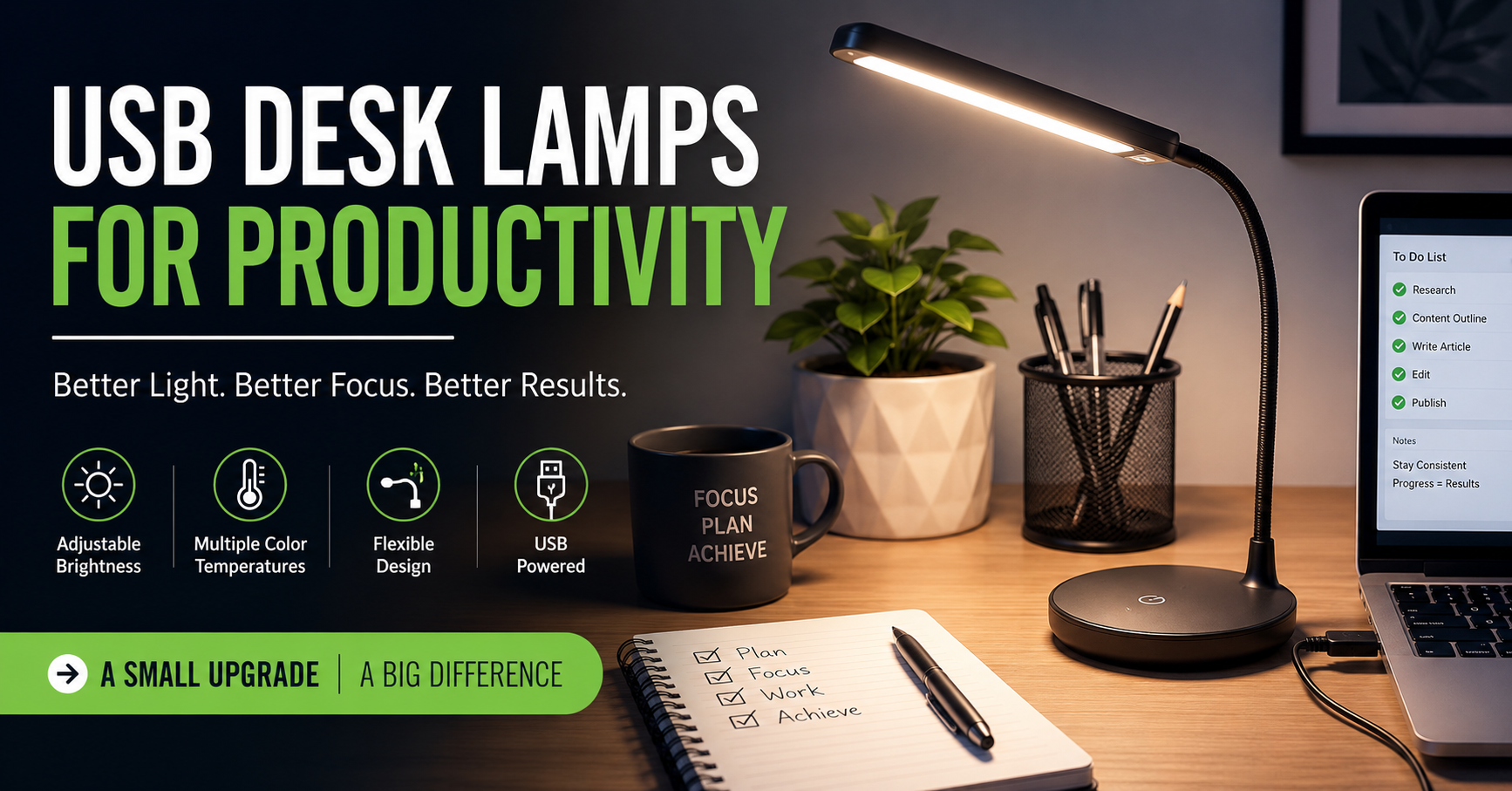
A few years ago, I thought my workspace was “good enough.” I had a decent laptop, a comfortable chair, and a clean desk. Yet by the end of every workday, my eyes felt tired, my shoulders were tense, and I found myself losing focus much sooner than I expected.
At first, I blamed long screen time. Then I realized something surprisingly simple was making things worse: poor lighting.
My desk sat in the corner of the room where natural light barely reached. During the evening, I relied on the room’s ceiling light, which created shadows on my keyboard and reflected off my monitor. After switching to a USB desk lamp, I noticed an immediate difference. My workspace felt more comfortable, reading documents became easier, and late-night work sessions were much less exhausting.
If you’ve never paid much attention to desk lighting, you might be surprised how much it affects your productivity. A good USB desk lamp isn’t just another accessory—it can genuinely improve your daily work experience.
Why Lighting Matters More Than Most People Think
Most people invest in mechanical keyboards, ergonomic chairs, or larger monitors before considering their lighting. I did exactly the same thing.
The problem is that poor lighting forces your eyes to work harder. When your monitor is bright but everything around it is dark, your eyes constantly adjust between different brightness levels. Over time, that can contribute to eye fatigue and make concentrating feel more difficult.
A well-positioned USB desk lamp creates balanced lighting around your workspace. Instead of staring into a bright screen surrounded by darkness, your eyes experience a smoother transition between your monitor, keyboard, notebook, and desk.
The result is a workspace that simply feels more comfortable.
What Makes USB Desk Lamps Different?
Unlike traditional desk lamps that require a wall outlet, USB desk lamps can be powered by:
- Laptop USB ports
- Desktop computers
- USB charging adapters
- Power banks
- USB docking stations
- Monitor USB hubs
This flexibility makes them ideal for modern workspaces.
I’ve even used one while working from a coffee shop by plugging it into a power bank. It provided enough light to review documents without needing to sit directly under harsh overhead lighting.
Features That Actually Matter
After trying several different lamps over the years, I realized that flashy marketing isn’t nearly as important as a few practical features.
Adjustable Brightness
Not every task requires the same amount of light.
For example:
- Writing notes often benefits from brighter lighting.
- Reading printed documents needs medium brightness.
- Evening computer work is usually more comfortable with lower brightness.
A lamp with multiple brightness levels gives you much more flexibility throughout the day.
Adjustable Color Temperature
Many quality USB desk lamps offer different color modes:
- Warm light for relaxing evening work
- Neutral white for everyday tasks
- Cool white for detailed reading or focused work
Personally, I use cool white during the morning because it helps me feel alert. After dinner, I switch to a warmer setting that’s easier on my eyes.
Flexible Arm
This feature sounds minor until you actually use it.
Being able to move the lamp exactly where you need it prevents shadows from falling across your notebook or keyboard.
A flexible gooseneck design also allows quick adjustments when switching between writing and computer work.
Touch Controls
Physical buttons work perfectly fine, but touch controls often feel faster and quieter.
Many lamps let you:
- Turn the light on or off
- Adjust brightness
- Change color temperature
with just a light tap.
How I Set Up My USB Desk Lamp
When I first bought one, I made the mistake of placing it directly behind my monitor.
That caused glare and reflections across the screen.
After experimenting, I found a much better setup.
Step 1: Place It Beside Your Monitor
Instead of putting the lamp behind the screen, place it slightly to one side.
This lights your desk instead of shining toward your eyes.
Step 2: Angle the Light Downward
The goal isn’t to light your face.
Aim the light toward:
- Keyboard
- Notebook
- Mouse
- Desk surface
This creates a softer working environment.
Step 3: Match Screen Brightness
A lamp shouldn’t overpower your monitor.
If your monitor feels dim compared to the lamp—or vice versa—adjust one until they feel balanced.
Step 4: Reduce Glare
Spend a few minutes checking reflections on your screen.
Even moving the lamp a few inches can make a noticeable difference.
Real Productivity Benefits I Noticed
I wasn’t expecting dramatic results.
But after using a USB desk lamp consistently, several improvements stood out.
Less Eye Fatigue
This was the biggest difference.
Previously, I often rubbed my eyes after several hours of work.
Now that happens much less frequently.
Easier Reading
Whether reviewing printed contracts, taking notes, or reading books, better lighting makes everything feel easier.
I also noticed I made fewer mistakes when copying information from paper to my computer.
Better Evening Focus
Most of my productive hours happen after sunset.
Without dedicated desk lighting, my workspace always felt dull.
A USB desk lamp made evening work sessions feel much more comfortable.
Cleaner Workspace
Many USB lamps have a minimalist design.
Instead of bulky bases and thick power cords, they blend naturally into modern desk setups.
Some even clip onto shelves or monitor stands, saving valuable desk space.
Great Use Cases
USB desk lamps aren’t only useful for office work.
They’re practical for many activities.
Remote Work
Video meetings, email, spreadsheets, and daily computer tasks become easier with balanced lighting.
Students
Whether studying for exams or completing assignments, proper lighting helps reduce eye strain during long reading sessions.
Creative Work
Designers, artists, and crafters often need focused lighting for detailed work.
An adjustable USB lamp makes it easier to see colors, lines, and fine details.
Reading
If you enjoy reading before bed but don’t want to light the entire room, a USB lamp provides enough focused illumination without disturbing others.
Common Mistakes to Avoid
Over time, I discovered several mistakes that reduce the benefits of even a good desk lamp.
Buying the Cheapest Option
Budget lamps aren’t always bad.
However, extremely cheap models often have:
- Flickering LEDs
- Weak brightness
- Poor build quality
- Limited adjustability
A slightly better-quality lamp usually lasts much longer.
Ignoring Color Temperature
Some people only focus on brightness.
Color temperature matters just as much.
Very cool lighting late at night may feel harsh, while overly warm lighting can make reading small text more difficult.
Having adjustable settings gives you the best of both worlds.
Pointing the Light at Your Screen
This creates unnecessary reflections.
Always aim the light toward your workspace rather than directly at the monitor.
Using Maximum Brightness All the Time
Brighter isn’t always better.
Match the brightness to your surroundings.
A comfortable lighting level usually helps you work longer without discomfort.
Helpful Accessories
A few inexpensive accessories can make your USB desk lamp even more useful.
USB Hub
If your laptop has limited USB ports, a powered USB hub gives you extra connections for your lamp, keyboard, mouse, and storage devices.
Cable Clips
Simple cable clips keep the USB cord neatly routed behind your desk, preventing clutter.
Power Bank
A power bank lets you use the lamp anywhere, whether you’re studying in a library or working during a power outage.
Monitor Light Bar
If you spend nearly all day working at a monitor, a monitor light bar can complement your USB desk lamp by illuminating your desk without taking up extra space.
Is a USB Desk Lamp Worth It?
After using one regularly, I genuinely think it’s one of the most underrated workspace upgrades you can make.
Unlike expensive office gadgets, it doesn’t require changing your workflow or learning something new. You simply plug it in, adjust the light, and enjoy a more comfortable workspace.
It won’t magically double your productivity or eliminate fatigue entirely. But it can make long work sessions more pleasant, help reduce unnecessary eye strain, and improve the overall feel of your desk.
Sometimes it’s the smallest improvements that have the biggest impact. For me, adding a USB desk lamp wasn’t about making my workspace look better—it was about creating an environment where I actually wanted to sit down and get things done every day.
If you regularly work, study, read, or create at a desk, it’s a simple upgrade that’s well worth considering.