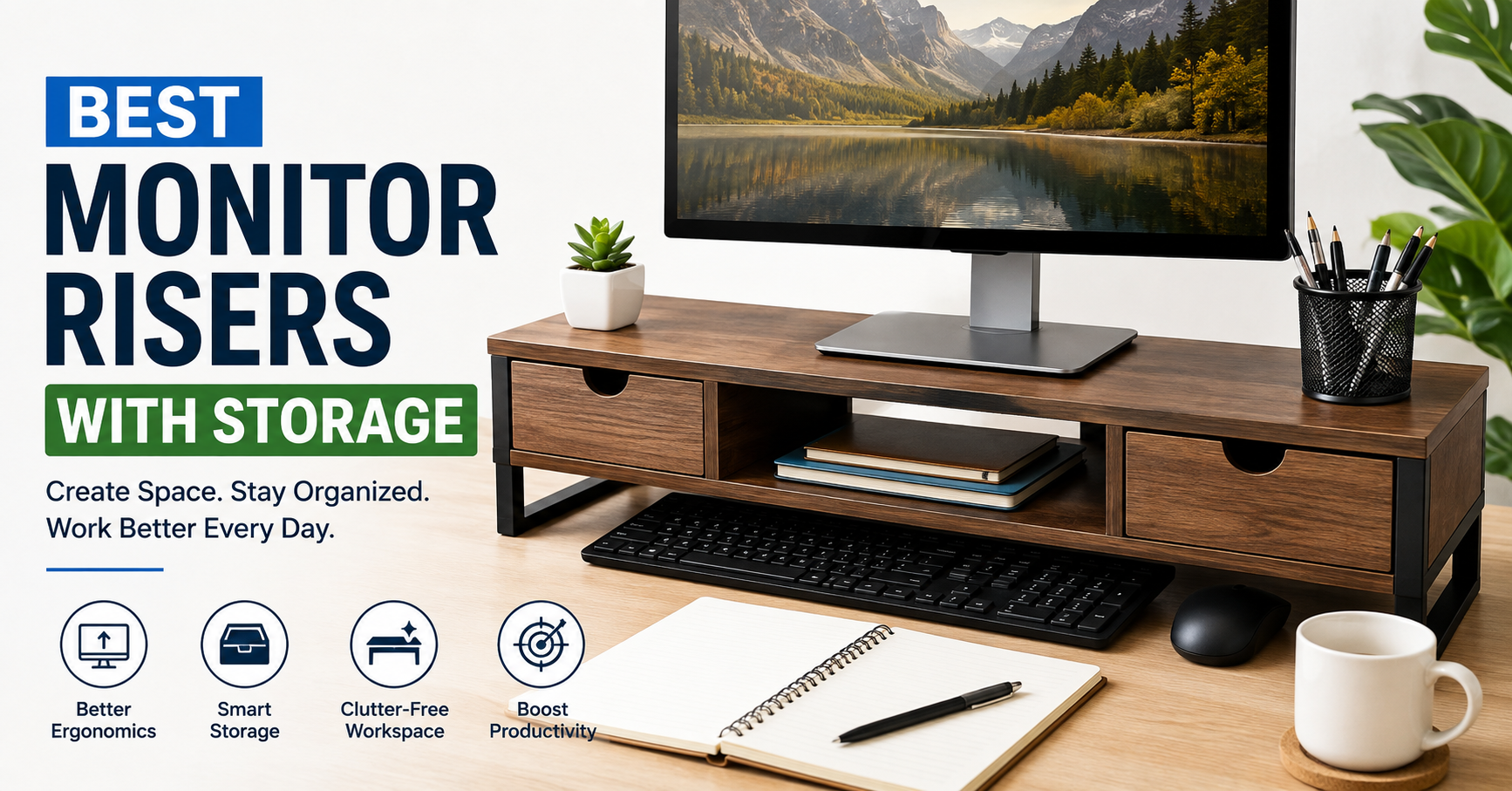
A few years ago, I kept telling myself I needed a bigger desk. My monitor sat directly on the tabletop, notebooks were stacked beside my keyboard, sticky notes were everywhere, and my external hard drive somehow never stayed in the same place for more than a day.
Then I tried something much cheaper than buying a new desk—a monitor riser with built-in storage.
I honestly expected it to make my monitor a little taller and nothing more. Instead, it completely changed how I used my workspace. Suddenly, my keyboard slid underneath when I wasn’t working, my notebook had a dedicated spot, and my desk finally looked organized instead of crowded.
If your desk always feels messy no matter how often you clean it, a monitor riser with storage might be one of the simplest upgrades you can make.
In this guide, I’ll explain what to look for, which types work best, common mistakes people make, and how to choose the right one for your setup.
Why a Monitor Riser With Storage Is Worth Buying
Many people think monitor risers exist only for ergonomics.
While raising your monitor to eye level is a huge benefit, the hidden storage underneath is often what makes the biggest difference.
Instead of wasting valuable desk space, you create a small organization station.
That extra space can hold:
- Keyboard
- Mouse
- Notebook
- Pens
- Sticky notes
- Phone
- External SSD
- USB hub
- Chargers
- Reading glasses
- Remote controls
When everything has a place, your desk naturally stays cleaner.
The Biggest Problem Most Desks Have
Most desks don’t actually lack space.
They lack organization.
I realized this after measuring my own desk.
Even though it wasn’t particularly small, random items covered almost every inch because nothing had a permanent home.
Once I installed a monitor riser with drawers, nearly all the clutter disappeared without throwing anything away.
Benefits Beyond Storage
Better Monitor Height
One unexpected improvement was comfort.
Before using a riser, I spent hours looking slightly downward.
That tiny angle eventually caused neck stiffness.
A properly sized monitor riser raises the screen closer to eye level, encouraging better posture during long work sessions.
Cleaner Workspace
When your keyboard slides underneath the riser after work, your desk suddenly looks much larger.
This is especially useful if you:
- Work from home
- Study
- Edit videos
- Use multiple notebooks
- Share a workspace
Improved Productivity
This sounds like a small change, but having less visual clutter makes focusing easier.
Instead of constantly moving things around before starting work, everything is already where it belongs.
Different Types of Monitor Risers With Storage
Not every monitor riser is designed the same way.
Choosing the right style depends on how you work.
Wooden Monitor Risers
These are among the most popular choices.
They offer:
- Modern appearance
- Strong weight capacity
- Durable construction
- Natural look
They’re ideal for home offices and minimalist setups.
Metal Monitor Risers
Metal risers usually include mesh shelves or open compartments.
Advantages include:
- Excellent airflow
- Strong support
- Lightweight
- Industrial appearance
They’re great if your workspace already uses metal accessories.
Acrylic Monitor Risers
Transparent acrylic creates a floating appearance.
They work particularly well for:
- Small desks
- Modern setups
- Bright offices
Since they’re transparent, they make a workspace feel less crowded.
Drawer-Style Monitor Risers
These are my personal favorite.
Instead of open shelves, they include sliding drawers that hide accessories completely.
Perfect for storing:
- Flash drives
- Chargers
- Pens
- Sticky notes
- Cables
- Memory cards
Adjustable Monitor Risers
These allow you to change the height.
They’re useful if:
- Multiple people use the desk
- You frequently switch between sitting and standing
- You use different monitors
Features Worth Looking For
Not every storage compartment is equally useful.
Here are the features I now pay attention to before buying one.
1. Weight Capacity
A riser should easily support your monitor.
Larger displays often weigh significantly more than smaller office monitors.
Always check the recommended weight limit.
2. Drawer Size
Some drawers only hold paper clips.
Others can fit notebooks, tablets, or portable SSDs.
Look at the internal dimensions rather than just the outside measurements.
3. Keyboard Clearance
If you want to slide your keyboard underneath, measure its height first.
Mechanical keyboards are much taller than standard office keyboards.
4. Cable Management
Some models include cable slots or rear openings.
These small cutouts prevent cables from hanging awkwardly behind the monitor.
5. Build Quality
Cheap plastic can flex under heavier monitors.
Solid wood, bamboo, steel, or thick engineered wood usually lasts much longer.
How to Choose the Right Monitor Riser
Instead of buying the first one you see, spend five minutes checking your setup.
Step 1: Measure Your Monitor
Know:
- Width
- Weight
- Stand dimensions
This avoids buying something too narrow.
Step 2: Measure Your Desk
Leave enough room for:
- Mouse movement
- Speakers
- Laptop
- Lighting
- Accessories
A riser shouldn’t dominate your desk.
Step 3: Decide What You Need to Store
Ask yourself:
Do you mainly need space for:
- Keyboard?
- Office supplies?
- Charging cables?
- External drives?
- Documents?
Your answer determines whether open shelves or drawers make more sense.
Step 4: Think About Your Workflow
For example:
Students
Storage for notebooks and stationery is often the priority.
Remote Workers
Keyboard storage plus cable management works best.
Designers
Extra room for drawing tablets, SSDs, and accessories is useful.
Gamers
A sturdy riser with enough clearance for large mechanical keyboards and headsets is usually a better fit.
Real-Life Example
When I switched to a drawer-style riser, I started storing:
- USB drives
- Charging cables
- Pens
- Sticky notes
- Card reader
- External SSD
My keyboard slid underneath every evening.
The result wasn’t just a cleaner desk.
Starting work became faster because I wasn’t hunting for basic accessories every morning.
Common Mistakes to Avoid
Buying Only Based on Appearance
A beautiful riser isn’t helpful if it can’t support your monitor or fit your keyboard.
Always check the measurements first.
Ignoring Ergonomics
Some people choose the tallest riser available.
If your monitor sits too high, you’ll end up looking upward instead of straight ahead.
Aim for a screen position where the top of the display is around eye level.
Forgetting Cable Space
Without rear cable openings, wires can become tangled behind the riser.
A small cable management slot makes a surprising difference.
Overloading the Storage
Just because there’s space doesn’t mean every item belongs there.
Keep only frequently used accessories inside.
Everything else should stay in a drawer or cabinet.
Extra Tips for an Organized Workspace
A monitor riser works even better when paired with a few simple habits.
- Keep only one notebook on the desk.
- Use reusable cable ties to bundle charging cables.
- Store small electronics inside drawer compartments.
- Clean the storage area once a week.
- Return items to their place after each work session.
- Label small containers if you keep many accessories.
These habits take only a minute or two but make your workspace much easier to maintain.
Who Should Buy a Monitor Riser With Storage?
A monitor riser is especially useful if you:
- Work from home regularly.
- Have a small desk.
- Use an external keyboard.
- Study for long hours.
- Edit photos or videos.
- Want a cleaner workspace without buying larger furniture.
Even if your desk isn’t tiny, adding vertical storage helps make better use of the space you already have.
Is It Better Than Buying a Bigger Desk?
For many people, yes.
A larger desk costs more, takes up additional room, and doesn’t automatically solve clutter problems.
A well-designed monitor riser with storage is a relatively inexpensive way to create usable space without replacing your existing furniture.
It also improves monitor height and keeps everyday items within easy reach, making it a practical upgrade for both comfort and organization.
Final Thoughts
I originally bought a monitor riser because I wanted my screen a little higher. The storage turned out to be the feature I appreciated most. It reduced desk clutter, gave my accessories a permanent home, and made my workspace feel more intentional.
If you’re constantly pushing notebooks aside, untangling charging cables, or searching for a pen before every meeting, a monitor riser with storage can solve several small frustrations at once. Choose one that fits your monitor, matches your workflow, and provides the kind of storage you’ll actually use. Sometimes the best desk upgrade isn’t adding more space—it’s using the space you already have more effectively.