The first time I looked behind my desk, I honestly wished I hadn’t.
There were charging cables hanging off the edge, a monitor cable twisted around my desk leg, headphone wires mixed with my keyboard cable, and a power strip buried under everything. Every time I needed to unplug something, I had to spend a few minutes figuring out which cable belonged to which device.
The funny part? The top of my desk looked clean. It was only when I accidentally dropped a pen behind it that I realized how messy everything really was.
I tried using zip ties because they were cheap. That worked for a while, but every time I added a new device or swapped a cable, I had to cut everything apart and start over. Eventually, I switched to cable sleeves, and it completely changed how I organized my workspace.
If your desk looks neat from the front but feels like a tangled jungle underneath, cable sleeves might be one of the easiest upgrades you can make.
What Are Cable Sleeves?
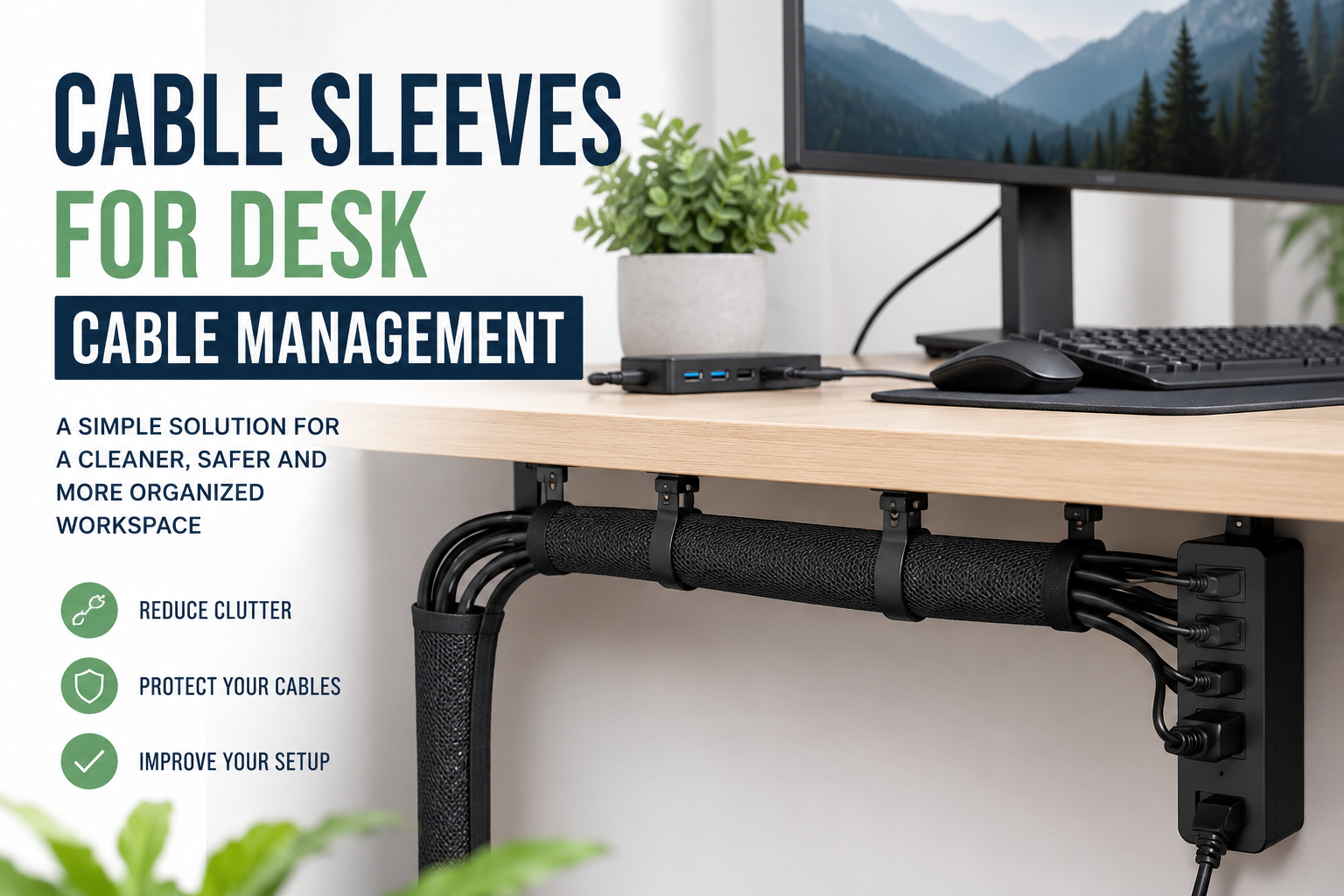
A cable sleeve is a flexible cover that wraps multiple cables together into one organized bundle.
Instead of seeing five or six separate wires running across your desk, you’ll see a single clean sleeve. It doesn’t magically remove cables, but it makes them easier to manage, protects them from damage, and gives your workspace a much cleaner appearance.
Most cable sleeves are made from materials like:
- Neoprene
- Braided fabric
- PET braided mesh
- Flexible polyester
- Split spiral plastic
Each material has its own strengths depending on your setup.
Why Cable Sleeves Make Such a Big Difference
When I first installed one, I expected my desk to look slightly cleaner.
What surprised me was how much easier everything became.
I could move my monitor without pulling on individual cables. Cleaning around the desk became much faster because there weren’t loose wires collecting dust. Even plugging in a new accessory took less time because I knew exactly where every cable was.
Some practical benefits include:
- A cleaner-looking workspace
- Better cable protection
- Easier cleaning
- Less chance of cables getting caught
- Improved airflow under the desk
- Reduced visual clutter
Even if nobody else sees your workspace, you’ll probably notice the difference every day.
Different Types of Cable Sleeves
Not every cable sleeve works the same way.
1. Neoprene Cable Sleeves
These are soft, flexible, and easy to install.
Most wrap around your cables using Velcro or a zipper-style design. They’re perfect for desks where you occasionally add or remove devices.
They’re especially useful for:
- Home offices
- Gaming setups
- Student desks
- Multi-monitor workstations
2. Braided Cable Sleeves
Braided sleeves give a more premium appearance.
They expand when you push them together, allowing multiple cables to slide inside before tightening around them.
These are commonly used for:
- Desktop PCs
- Professional workstations
- Audio equipment
- Streaming setups
3. Split Sleeves
Split sleeves have an opening running along one side.
That makes it incredibly easy to insert or remove cables without disconnecting everything first.
If you regularly swap accessories, these are worth considering.
4. Spiral Cable Wraps
Instead of fully enclosing the cables, spiral wraps twist around them.
They’re inexpensive and flexible but don’t hide cables as neatly as full sleeves.
How I Organized My Desk Using Cable Sleeves
My setup isn’t complicated.
It includes:
- Laptop
- External monitor
- Mechanical keyboard
- Wireless mouse receiver
- USB hub
- Phone charger
- Desk lamp
- Speakers
Before organizing, I unplugged everything.
That sounds obvious, but it’s much easier than trying to wrap cables while they’re connected.
Step 1: Separate the Cables
I grouped cables based on where they were going.
For example:
- Power cables together
- Monitor cables together
- USB accessories together
This prevented unnecessary crossing.
Step 2: Measure the Distance
Instead of guessing, I measured the length from the monitor to the desk and from the desk to the power strip.
Buying sleeves that were too short would have been frustrating.
Step 3: Insert the Cables
For the braided sleeve, I pushed the sleeve together to expand it.
The cables slid inside surprisingly easily.
Step 4: Secure Both Ends
Small Velcro straps kept everything from slipping out.
I avoided tightening them too much because some cables still needed flexibility.
Step 5: Test Everything
Before celebrating my clean desk, I plugged everything back in.
One USB cable wasn’t fully inserted, which would have been annoying to discover later.
Testing first saved me from reopening the sleeve.
Cable Sleeves Work Even Better with Other Cable Management Tools
A cable sleeve isn’t meant to solve every cable problem by itself.
It works best alongside a few simple accessories.
Some useful additions include:
- Cable clips for desk edges
- Adhesive cable holders
- Under-desk cable trays
- Velcro cable ties
- Cable labels
- Surge protector mounting brackets
Together, they create a much more organized system than using any single product alone.
Choosing the Right Cable Sleeve
The best sleeve depends on your setup.
If you have only a few cables, a smaller sleeve is enough.
If you’re managing dual monitors, desktop speakers, webcams, Ethernet cables, and multiple chargers, you’ll need something larger.
Before buying, consider:
- Sleeve diameter
- Material flexibility
- Ease of installation
- Whether you frequently change devices
- Cable thickness
- Sleeve length
Buying slightly larger than you think you need usually works better than buying one that’s too small.
Common Mistakes People Make
Stuffing Too Many Cables Inside
This was my first mistake.
I tried fitting every cable into one sleeve.
The result looked bulky and became difficult to bend.
Using two smaller sleeves looked much cleaner.
Ignoring Heat
Power adapters and large chargers generate heat.
Avoid wrapping bulky power bricks inside cable sleeves.
Leave adapters exposed so heat can escape properly.
Mixing Long and Short Cables
Different cable lengths create unnecessary loops.
Whenever possible, use cables that are close to the length you actually need.
This keeps the sleeve much cleaner.
Forgetting Future Devices
Many people build their cable setup for today’s devices.
A few months later they buy a webcam, microphone, or external SSD.
Leaving a little extra space inside the sleeve makes future upgrades much easier.
Are Cable Sleeves Worth It?
For me, absolutely.
They’re inexpensive compared to most desk accessories, yet they make one of the biggest visual improvements.
The workspace feels calmer.
Finding cables becomes easier.
Cleaning takes less time.
And if you enjoy an organized desk, cable sleeves deliver noticeable results without requiring complicated installation.
Who Should Use Cable Sleeves?
Cable sleeves are especially useful for:
- Remote workers
- Students
- Gamers
- Content creators
- Programmers
- Office employees
- Anyone with multiple monitors
- Home office users
Even a basic laptop setup usually has enough cables to benefit from better organization.
Keeping Your Cable Setup Organized Over Time
The biggest lesson I learned wasn’t about buying better accessories.
It was about maintaining the system.
Whenever I add a new device, I spend two extra minutes routing the cable properly instead of telling myself I’ll fix it later.
That small habit has prevented my workspace from turning back into the tangled mess it used to be.
Every few months, I also wipe down the cables, check for worn insulation, and remove anything I’m no longer using. Old charging cables and unused adapters can quietly pile up behind a desk without you even noticing.
Final Thoughts
A messy desk isn’t always caused by having too many devices. More often, it’s the cables that make everything feel cluttered.
Cable sleeves won’t eliminate every wire, but they make your setup easier to manage, easier to clean, and much more pleasant to use every day.
If you’re already investing in a better chair, monitor, or keyboard, don’t overlook the cables connecting them all. Organizing those wires might be one of the simplest improvements you can make, and it’s one you’ll appreciate every time you sit down to work.