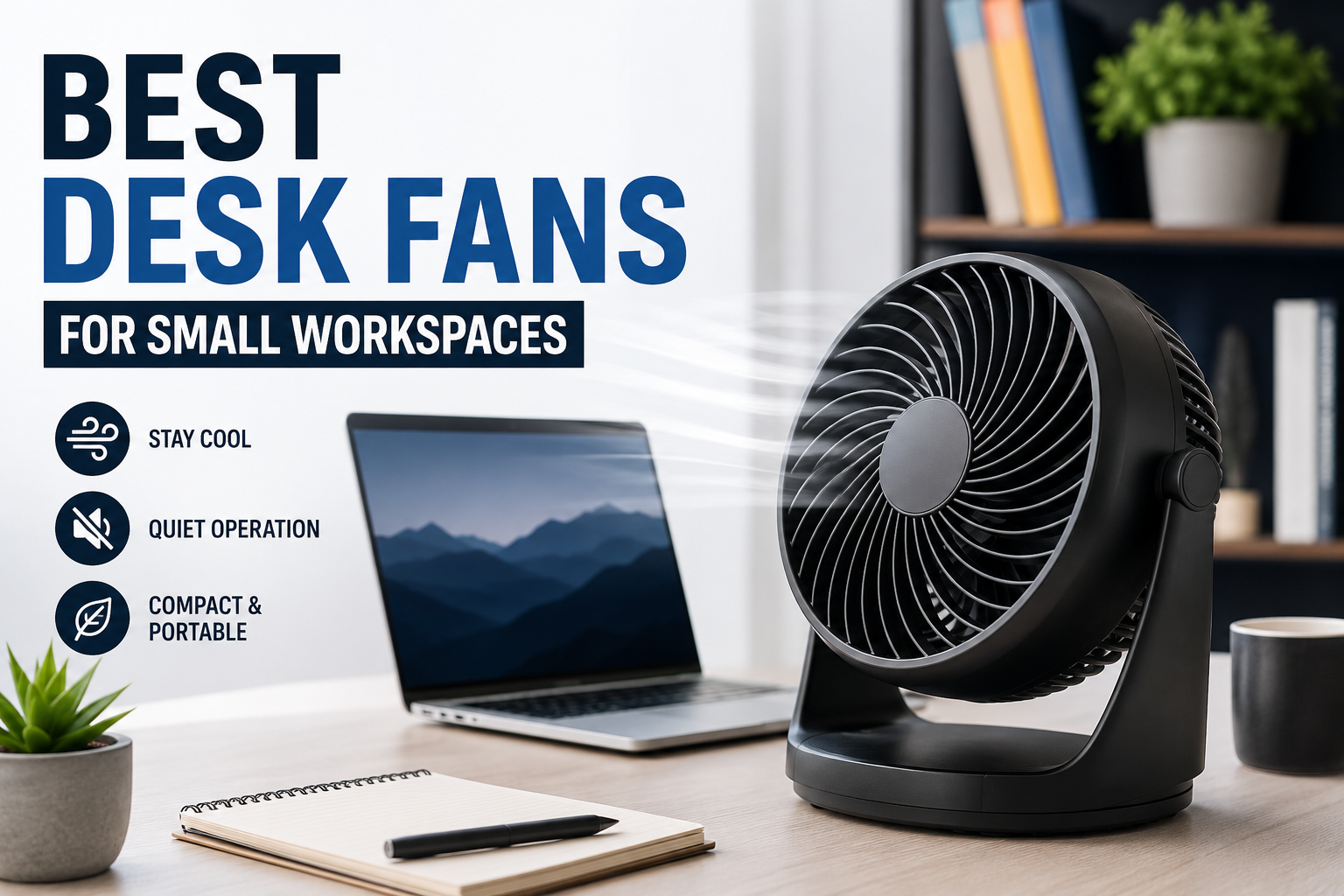
I never thought a tiny fan could make such a big difference until one particularly hot afternoon. My desk sits next to a window that gets plenty of sunlight, which is great during winter but not so enjoyable when summer arrives. Even with the room fan running, I still felt warm while working because the airflow never seemed to reach my chair.
I almost bought a large pedestal fan before realizing it would take up valuable floor space. Instead, I tried a compact desk fan. It wasn’t a dramatic purchase, but it completely changed how comfortable my workspace felt. Since then, I’ve tested several small desk fans, and I’ve learned that size isn’t everything. The right fan can keep you cool without cluttering your desk or creating unnecessary noise.
If you’re trying to stay comfortable while working in a small office, bedroom, or study corner, here’s what I’ve learned about choosing the best desk fan.
Why a Desk Fan Makes More Sense in Small Workspaces
Small workspaces often have one common problem: limited airflow.
Whether you’re working from home, studying for exams, editing videos, or spending hours in front of multiple monitors, the air around your desk can become surprisingly warm. Computers, laptops, monitors, and even desk lamps generate heat over time.
A desk fan creates personal airflow exactly where you need it instead of trying to cool the entire room. That means you feel cooler without having to turn your air conditioner to a lower temperature.
There are a few extra benefits too:
- Uses very little electricity
- Doesn’t require floor space
- Easy to move around
- Helps reduce sweaty hands while typing
- Improves comfort during long work sessions
What to Look for Before Buying
After trying different models, I realized that the strongest fan isn’t always the best one.
Here are the features that actually matter.
1. Quiet Operation
Noise becomes annoying faster than you expect.
The first fan I bought sounded like a tiny vacuum cleaner. During meetings, everyone could hear it through my microphone.
If you regularly attend Zoom, Google Meet, or Microsoft Teams calls, choose a fan with low-noise operation—preferably below 30–40 dB.
2. Adjustable Speed Settings
Some mornings only need a gentle breeze.
Afternoons might require maximum airflow.
Having at least three speed settings makes the fan much more useful throughout the day.
3. Adjustable Tilt
Airflow should reach your face—not your keyboard.
A tilting head lets you direct air exactly where you want it without moving the entire fan.
4. USB or Rechargeable Power
USB-powered fans are incredibly convenient.
Mine stays connected to a powered USB hub, so it automatically starts whenever I begin working.
Rechargeable fans are even better if you frequently move between rooms or work outdoors.
5. Desk Footprint
This is easy to overlook.
A fan that’s only a few centimeters wider can take up enough space to make your desk feel cramped.
Measure your available desk space before ordering.
Best Desk Fans for Small Workspaces
Here are some of the most reliable options that consistently receive positive feedback from users.
1. Honeywell TurboForce Mini
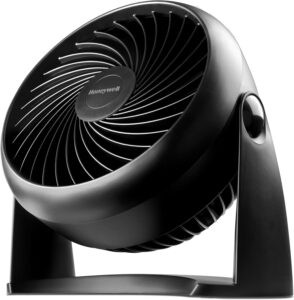
This has become one of the most recommended compact desk fans for good reason.
Pros
- Strong airflow
- Adjustable head
- Compact design
- Reliable build quality
Cons
- Needs wall power
- Slightly louder on maximum speed
Best for people who work at the same desk every day and want dependable airflow.
2. Vornado Flippi V6
If appearance matters, this fan blends nicely into modern desk setups.
What surprised me most is how quiet it stays while still moving a decent amount of air.
Pros
- Stylish design
- Quiet operation
- Adjustable airflow
- Small footprint
Cons
- Premium price
- Moderate airflow compared to larger fans
3. JISULIFE Portable Desk Fan
For flexible workspaces, this one is hard to beat.
It’s rechargeable, lightweight, and easy to carry between your desk, kitchen table, or even outside.
Pros
- Built-in battery
- USB charging
- Lightweight
- Portable
Cons
- Battery needs recharging
- Not designed for cooling large spaces
4. Gaiatop USB Desk Fan
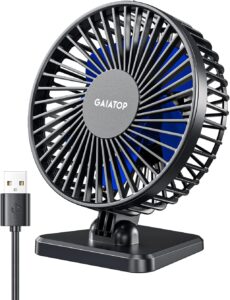
If you’re shopping on a budget, this is one of the better options.
Despite its affordable price, the airflow is surprisingly impressive.
Pros
- Budget-friendly
- Quiet
- USB powered
- Simple controls
Cons
- Plastic construction
- Basic appearance
5. Woozoo Globe Fan
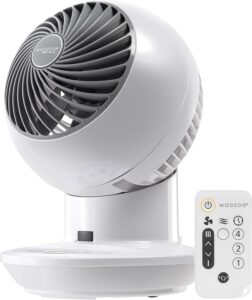
This fan is slightly different because it circulates air around the room rather than simply blowing directly at you.
It works especially well if your workspace gets stuffy.
Pros
- Excellent circulation
- Multiple speed levels
- Compact design
- Oscillation on selected models
Cons
- Slightly larger than basic USB fans
Which Type Should You Choose?
Different workspaces benefit from different styles.
USB Desk Fans
Perfect if your desk already has:
- USB hub
- Docking station
- Powered monitor
- Desktop PC
They’re simple, reliable, and always ready.
Rechargeable Fans
Great for:
- Students
- Shared offices
- Remote workers
- Coffee shop work
- Outdoor work sessions
You don’t need to worry about finding a power outlet.
Oscillating Fans
Choose one if two people share the same desk or if you want wider airflow without constantly adjusting the fan.
My Favorite Desk Placement
I made the mistake of putting my first fan directly beside my monitor.
Instead of cooling me, it mostly blew air toward the wall.
Eventually I discovered a much better position.
Here’s what works best:
- Place the fan slightly to one side of your keyboard.
- Angle it upward toward your face.
- Keep it around 18–24 inches away.
- Avoid pointing it directly into your microphone if you’re on calls.
That simple adjustment made the airflow feel much stronger without increasing the speed.
Simple Ways to Make Any Desk Fan More Effective
Even an inexpensive fan works better with a few small changes.
Keep Your Desk Uncluttered
Books, monitor stands, and storage boxes can block airflow.
Leave a clear path between the fan and your seating position.
Clean the Blades Regularly
Dust builds up surprisingly quickly.
A dirty fan not only moves less air but can also become noisier.
I usually wipe mine every couple of weeks using a microfiber cloth.
Combine It with Good Ventilation
If possible:
- Open a nearby window
- Run a ceiling fan
- Keep curtains closed during peak afternoon sunlight
Together, these changes noticeably improve comfort.
Common Buying Mistakes
After trying several fans, here are the mistakes I’d avoid.
Buying Based Only on Airflow
The strongest fan isn’t always the best.
If it sounds like a small engine every time you turn it on, you’ll probably stop using it.
Ignoring Power Options
Some fans require wall adapters.
Others only use USB power.
Make sure your workspace actually has the right connection available.
Choosing Style Over Performance
Minimalist designs look great in product photos.
But a fan that barely moves air won’t keep you comfortable.
Read reviews that discuss actual airflow rather than appearance alone.
Forgetting Cable Length
One USB fan I bought had an incredibly short cable.
I had to rearrange my entire desk just to plug it in.
It’s a small detail that makes everyday use much easier.
Who Benefits Most from a Desk Fan?
These fans are especially useful for:
- Remote workers
- Students
- Programmers
- Writers
- Designers
- Gamers
- Content creators
- Anyone with a compact home office
Even if your room already has air conditioning, a personal desk fan often makes long work sessions much more comfortable.
Are Desk Fans Worth Buying?
After using one for several years, I’d say yes—especially if your workspace is small.
A compact desk fan won’t replace an air conditioner, but it doesn’t need to. Its job is to create comfortable airflow exactly where you’re sitting, and the best ones do that remarkably well while taking up very little space.
If you’re shopping for your first desk fan, focus on quiet operation, adjustable speeds, and a size that fits comfortably on your desk. Those three features will have a much bigger impact on your daily experience than flashy designs or extra gimmicks.
Sometimes the smallest upgrade ends up being the one you appreciate every single day. A good desk fan is one of those upgrades.