
Introduction
A few years ago, I assumed productivity came from expensive monitors, premium office chairs, and high-end equipment. Then I started working from a small desk setup where every inch of space mattered and every purchase had to fit a tight budget.
What surprised me most was how much of a difference a few inexpensive office gadgets made. A simple phone stand stopped me from constantly picking up my phone during work. A USB desk fan made summer afternoons far more comfortable. Even a basic cable organizer saved me from the daily frustration of untangling charging cables.
The truth is that you don’t need to spend hundreds of dollars to improve your workspace. Some of the most useful office gadgets cost less than a lunch outing and provide benefits you’ll notice every day.
If you’re looking for affordable ways to upgrade your desk, these are the best office gadgets under $25 that I’ve personally found useful or seen become favorites among coworkers and remote workers.
Quick Comparison Table
| Product | Best For | Average Price |
|---|---|---|
| Adjustable Phone Stand | Video calls and multitasking | $10-$15 |
| USB Desk Fan | Comfort during long work sessions | $15-$25 |
| Cable Management Clips | Organizing messy cables | $8-$15 |
| LED Desk Lamp | Better lighting and reduced eye strain | $20-$25 |
| Wireless Mouse | Smoother navigation and comfort | $15-$25 |
| Mini Desk Vacuum | Cleaning crumbs and dust | $15-$20 |
| USB Hub | Expanding laptop connectivity | $15-$25 |
1. Adjustable Phone Stand

A phone stand might sound boring, but it became one of my most-used desk accessories almost immediately.
Before buying one, I constantly picked up my phone to check notifications, view messages, or follow tutorials. It interrupted my workflow more than I realized.
An adjustable stand keeps the screen visible while allowing hands-free access. It’s especially useful during video calls, online meetings, and watching training videos while working.
Pros
- Improves desk organization
- Great for video calls
- Adjustable viewing angles
- Portable and lightweight
Cons
- Doesn’t charge the phone by itself
- Some cheap models feel unstable
Best Use Case
Perfect for remote workers, students, and anyone who frequently references their phone while working.
2. USB Desk Fan

If your office gets warm, a small USB desk fan can make a surprisingly big difference.
I bought one during a summer heat wave when my workspace felt uncomfortable by mid-afternoon. The fan didn’t replace air conditioning, but it made sitting at my desk much more pleasant.
Most modern USB fans are quiet enough not to interfere with calls or concentration.
Pros
- Improves comfort instantly
- Energy efficient
- Quiet operation
- Easy USB power connection
Cons
- Limited cooling range
- Not useful in colder environments
Best Use Case
Ideal for home offices, dorm rooms, and small workspaces.
3. Cable Management Clips
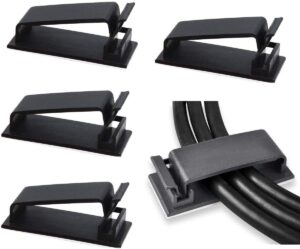
Messy cables are one of those small annoyances that become frustrating over time.
I used to spend several minutes every week searching for charging cables that had fallen behind my desk. After installing cable clips, everything stayed exactly where it belonged.
These inexpensive organizers stick to your desk and keep cables accessible and organized.
Pros
- Extremely affordable
- Easy installation
- Reduces desk clutter
- Prevents cable damage
Cons
- Adhesive quality varies
- May leave residue when removed
Best Use Case
Anyone with multiple charging cables, monitors, or accessories.
4. LED Desk Lamp
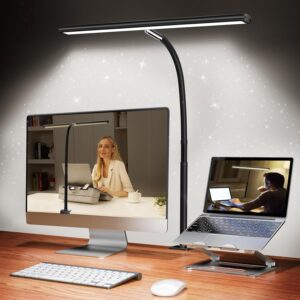
Good lighting affects productivity more than many people realize.
For months, I worked under poor room lighting and often experienced eye strain by evening. Switching to an LED desk lamp with adjustable brightness made reading documents and typing much more comfortable.
Many budget-friendly options now include touch controls and multiple brightness levels.
Pros
- Reduces eye strain
- Adjustable brightness
- Energy efficient
- Improves focus
Cons
- Takes up desk space
- Very cheap models may have uneven lighting
Best Use Case
Perfect for evening work sessions and study environments.
5. Wireless Mouse
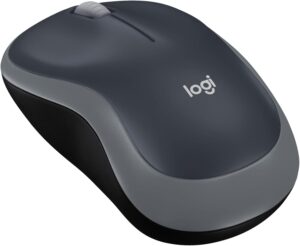
A wireless mouse is one of the easiest upgrades you can make if you’re still relying on a laptop trackpad.
While trackpads are fine for occasional use, extended work sessions often feel faster and more comfortable with a dedicated mouse.
I noticed less wrist fatigue and quicker navigation after switching.
Pros
- Improved comfort
- Better productivity
- Portable
- Easy setup
Cons
- Requires batteries or charging
- Can be misplaced easily
Best Use Case
Office workers, students, and anyone spending several hours daily on a computer.
6. Mini Desk Vacuum

This gadget feels unnecessary until you use it.
If you eat snacks at your desk, you’ll quickly appreciate a mini desk vacuum. It picks up crumbs, dust, and small debris that tend to accumulate around keyboards.
I originally bought one as a novelty item, but it became part of my weekly desk-cleaning routine.
Pros
- Quick desk cleaning
- Compact size
- Fun and easy to use
- Helps maintain hygiene
Cons
- Limited suction power
- Requires batteries or charging
Best Use Case
People who frequently eat or drink at their desks.
7. USB Hub

Modern laptops often have fewer ports than many users need.
A USB hub solves that problem by adding extra ports for flash drives, keyboards, mice, webcams, and charging cables.
This became essential when I started using multiple devices simultaneously.
Pros
- Expands connectivity
- Easy plug-and-play setup
- Compact and portable
- Affordable upgrade
Cons
- Some low-cost hubs have slower speeds
- Can create additional cable clutter
Best Use Case
Laptop users who regularly connect multiple accessories.
How to Choose the Right Office Gadget
When shopping for budget office accessories, I learned one important lesson: don’t buy gadgets simply because they look cool.
Use this simple process:
Step 1: Identify Your Biggest Frustration
Ask yourself:
- Is your desk messy?
- Are you uncomfortable?
- Do you struggle with productivity?
- Are cables creating clutter?
The best gadget solves a real problem.
Step 2: Prioritize Daily Use
A gadget used every day provides more value than one used occasionally.
For example, a phone stand may improve your workflow far more than a novelty desk toy.
Step 3: Read Recent Reviews
Look for user feedback regarding:
- Durability
- Ease of use
- Build quality
- Reliability
Step 4: Set a Budget
Under-$25 gadgets can add up quickly if you’re not careful.
Choose one or two upgrades that address your biggest needs first.
Common Mistakes to Avoid
Buying Too Many Gadgets at Once
It’s tempting to fill your desk with accessories immediately. I made this mistake and ended up with several products I rarely used.
Start small.
Ignoring Desk Space
A gadget can be useful but still make your workspace feel cramped.
Always measure available space before buying.
Choosing Price Over Quality
The cheapest option isn’t always the best value.
Sometimes spending an extra few dollars results in better durability and performance.
Falling for Social Media Hype
Some trendy desk gadgets look impressive in photos but provide little practical benefit.
Focus on functionality first.
Frequently Asked Questions
Are office gadgets under $25 worth buying?
Yes. Many affordable gadgets solve everyday problems and can noticeably improve comfort, organization, and productivity.
What is the most useful office gadget for remote workers?
An adjustable phone stand or LED desk lamp tends to provide the greatest daily benefit for most remote workers.
Do cheap office gadgets last long?
Quality varies by brand, but many well-reviewed budget gadgets can last for years with normal use.
Which office gadget improves productivity the most?
A wireless mouse, phone stand, or USB hub often delivers the most noticeable productivity improvements.
Should I buy multiple gadgets at once?
It’s usually better to start with one or two items that solve your biggest workspace frustrations.
Final Recommendation
If I had to recommend just three office gadgets under $25, I would start with an adjustable phone stand, cable management clips, and a wireless mouse.
These upgrades cost very little, require almost no setup, and provide immediate improvements to everyday work. They’re practical, affordable, and useful whether you’re working from home, studying, or spending long hours in an office.
The best office gadgets aren’t necessarily the flashiest ones. They’re the tools that quietly remove small annoyances from your day and help you focus on getting work done. Sometimes a $10 accessory can have a bigger impact than a much more expensive upgrade.